
concept · printing-infrastructure
Bluetooth Printing Explained
Quick answer
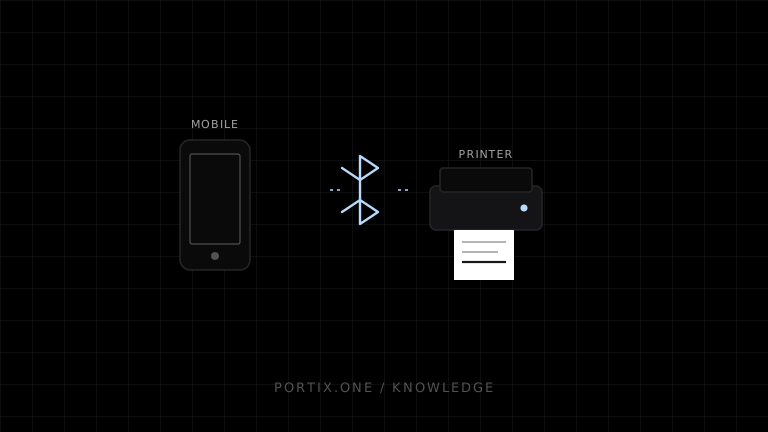
Bluetooth provides the wireless link, not the receipt or label language. A host must discover and pair or authorize the device, connect through a supported profile or GATT service, then send bytes in a printer language the model understands. Bluetooth is useful for mobile and cable-free printing, but deployments must handle platform support, user permissions, reconnects, small writes, power management, device identity, and ambiguous delivery after disconnection.
Bluetooth printing sends jobs over a short-range wireless connection. “Bluetooth printer” does not identify one universal print protocol: devices can use Bluetooth Classic serial-style profiles, platform accessories, vendor services, or Bluetooth Low Energy characteristics, each with different discovery, pairing, permissions, throughput, and framing.
Architecture
Mobile/desktop application or trusted runtime
             ↓ platform Bluetooth API
Pairing, profile/service, connection
             ↓ framed writes
Printer protocol: ESC/POS, CPCL, ZPL, or vendor format
             ↓
Printer firmware and mechanism
Classic vs Low Energy
| Model | Typical communication | Considerations |
|---|---|---|
| Bluetooth Classic | Serial Port Profile or vendor/accessory profile | Stream-like behavior, platform pairing and profile support |
| Bluetooth Low Energy | GATT services and characteristics | Small writes, negotiated MTU, service discovery, flow control |
A model may advertise both but implement printing through only one supported path.
Pairing and authorization
Pairing establishes a device relationship at the platform level. Application permission is separate and varies by operating system. Record an approved logical printer mapping after enrollment, but handle device replacement and revoked pairing explicitly.
Names are not stable identities and can collide. Use platform-provided identifiers and verified device metadata without treating them as credentials.
Data framing and flow control
Do not assume one application write equals one printer command or one receipt. Classic streams can segment data; BLE writes are constrained by characteristic properties and payload size. A transport adapter should:
- Split at safe byte boundaries or complete protocol chunks.
- Respect negotiated limits and write-with/without-response behavior.
- Apply pacing or acknowledgments required by the device.
- Preserve command order.
- Detect disconnects and avoid blind replay.
- Separate status notifications from print data.
Printer language compatibility
A connected Bluetooth channel can still print gibberish if bytes use the wrong language or encoding. Maintain a profile with command language, code pages, printable width, image limits, status method, and required initialization.
Browser considerations
Standard window.print() uses the browser/platform print workflow and does not expose a raw Bluetooth stream. Web Bluetooth is permission-gated, focuses on BLE GATT, and has browser/platform support constraints. A native app or local runtime is often required for Classic profiles or controlled production fleets.
Reliability and power
Mobile devices and printers sleep, roam out of range, conserve battery, and disconnect. Design for:
- Connection timeout and explicit readiness.
- Reconnect without duplicate submission.
- Printer battery and paper status when supported.
- App background restrictions.
- Partial job and unknown outcome.
- Operator-visible recovery.
Security
- Require deliberate enrollment and platform authorization.
- Restrict jobs to paired logical roles.
- Use secure pairing modes supported by the devices.
- Avoid sensitive jobs on untrusted shared devices.
- Authenticate at the application layer when the protocol supports it.
- Bound job size and rate.
- Keep firmware and host software supported.
- Make device removal and credential revocation easy.
Common failures
| Symptom | Check |
|---|---|
| Device not discovered | Power, advertising/discoverable mode, OS permission |
| Paired but cannot print | Wrong profile/service or app platform support |
| Partial receipt | Chunking, flow control, disconnect, buffer |
| Garbled text | Printer language or code page mismatch |
| Duplicate after reconnect | Replay without stable job ID |
| Works in foreground only | Mobile background restrictions |
| Connects to wrong printer | Name-based mapping or ambiguous enrollment |
When Bluetooth is a good fit
Choose Bluetooth for mobile field work, bedside or table service, vehicles, temporary stations, and cable-free nearby devices. Prefer USB for a fixed dedicated workstation or network printing for shared, centrally managed destinations.
Frequently asked questions
Is Bluetooth printing the same as wireless network printing?
No. Bluetooth uses Bluetooth profiles/services; Wi-Fi printers usually use IP networking and protocols such as IPP or raw TCP.
Does every phone support every Bluetooth printer?
No. The printer’s Bluetooth mode, profile, SDK, and the mobile platform’s API and policy must align.
Can Bluetooth carry ESC/POS?
Yes on devices and profiles designed to accept it. Bluetooth only transports the bytes; model command support still applies.
Why does a large image fail while text works?
Images create larger bursts and can expose MTU, chunking, pacing, buffer, or timeout limitations.
References
- Bluetooth Core Specification — Bluetooth SIG, accessed Jul 19, 2026
- Web Bluetooth API — MDN, accessed Jul 19, 2026
- Introduction to Printing — Microsoft Learn, accessed Jul 19, 2026
Related content
concept
What Is a Local Printing Runtime?
Learn how a local printing runtime securely connects web applications to printers for routing, raw commands, queues, status, retries, and silent printing.
concept
Network Printing Explained
Learn how clients, print servers, queues, DNS, IPP, raw TCP, drivers, security, status, and failover work in network printing.
concept
What Is Raw Printing?
Learn how raw printing sends printer-ready bytes such as ESC/POS, ZPL, PCL, or PostScript without normal document rendering.
concept
USB Printing Explained
Learn how USB printers connect through device classes, endpoints, operating-system queues, drivers, raw protocols, permissions, and stable device mapping.