
concept · browser-printing
Browser Printing Limitations
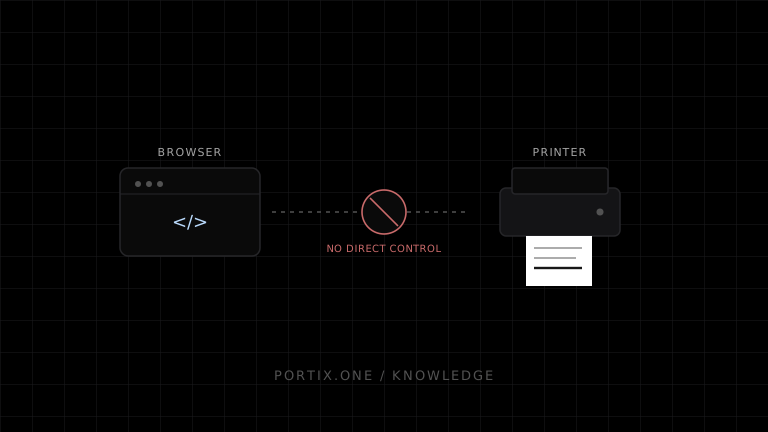
Quick answer
Standard browser printing can open a print workflow and style a web document for paper or PDF. It cannot provide an ordinary public web page with reliable silent printing, automatic printer selection, raw printer commands, physical-job confirmation, or identical output across every browser and device. Use it when a user can confirm each job and moderate output variation is acceptable; use a trusted integration when printing is operational infrastructure.
Browser printing is widely available and deliberately user-controlled. That makes it a simple option for occasional documents, but it also limits automation, printer control, job feedback, and output consistency. These constraints matter most for point-of-sale, labels, kiosks, logistics, and other operational workflows.
Capability summary
| Capability | Standard browser printing |
|---|---|
| Open the print workflow | Yes, with window.print() |
| Apply print-specific CSS | Yes |
| Suggest page size and margins | Yes, with implementation and destination caveats |
| Select an installed printer from page JavaScript | No general API |
| Skip user confirmation in a normal public page | No general API |
| Send raw ESC/POS, ZPL, or PCL | No |
| Control cutter, drawer, tray, or feed | No general API |
| Receive a portable print-job ID | No |
| Confirm physical completion | No |
| Guarantee pixel-identical output | No |
1. The print dialog remains user-controlled
Calling window.print() requests printing; it does not authorize unattended output. The HTML Standard describes the method as prompting the user and requires the user agent to offer the user an opportunity to obtain the document in physical or represented form.
This is appropriate for reports and forms. It creates friction when an operator must print hundreds of receipts or labels because each job may require interaction.
2. A page cannot generally choose the printer
The window.print() method takes no parameters and returns undefined. It has no standard argument for printer name, queue, copies, paper tray, or media profile.
The user can select a destination in the browser or operating-system UI. A managed browser, kiosk, extension, desktop shell, or trusted local runtime may introduce automatic routing, but that behavior is outside the portable page API.
3. Silent printing is not a normal web capability
An ordinary website cannot rely on silently printing to local hardware. Controlled deployments may preconfigure kiosk policies or install trusted software, but those solutions require administrative setup and a security boundary beyond a public origin.
Do not use scripts that repeatedly call window.print() as an automation strategy. They still invoke browser-mediated behavior and can create a poor or blocked user experience.
4. Print CSS does not control every setting
Print CSS controls document presentation. It can hide elements, change layout, manage many breaks, and express page preferences. It does not own the complete print configuration.
@media print {
  .screen-only { display: none; }
  .label { break-inside: avoid-page; }
}

@page {
  size: 4in 6in;
  margin: 0;
}
The example expresses a preferred page box. The destination may not provide that media, the browser may implement only part of the paged-media specification, and the printer can have a non-printable area. Scaling or clipping can still occur.
5. Output varies by browser, platform, and device
Variation can enter through:
- Browser layout, pagination, and defaults.
- Supported CSS Paged Media and fragmentation features.
- Installed fonts and font-loading timing.
- Browser or operating-system headers, footers, margins, and scale.
- PDF versus physical-printer rendering paths.
- Driver behavior, printer resolution, and printable area.
- Paper, color mode, consumables, and device calibration.
Design for tolerances. If exact geometry matters, test the complete supported matrix and constrain the environment.
6. Job status is not exposed
Standard browser printing does not return a portable print-job identifier. The afterprint event is a browser lifecycle event; it is not evidence that a printer accepted, started, or completed a job.
Consequently, page JavaScript cannot reliably implement queue monitoring, retries, audit trails, or “printed successfully” states based only on window.print().
7. Raw commands and hardware actions are unavailable
Browser printing renders a document. It does not expose a raw channel for command languages such as ESC/POS or ZPL through window.print().
This means a normal browser print job cannot reliably request printer-specific actions such as:
- Cutting receipt paper.
- Opening a cash drawer.
- Selecting a specialized tray.
- Reading detailed device status.
- Printing a device-native barcode command.
Some drivers can map document features to device behavior, but that is configuration-dependent rather than a portable web contract.
8. Pagination is constrained by finite pages
Web layouts are often designed for continuous scrolling. Printing must fragment them. Oversized content, fixed widths, large images, complex grids, positioned elements, and unbreakable text can clip or create awkward breaks.
Properties such as break-inside: avoid-page are requests. If an element is taller than the page area, the browser must still break, overflow, scale, or otherwise resolve the conflict.
9. Browser printing has weak delivery guarantees
Once output leaves the browser, failures can occur in the queue, driver, network, port, firmware, paper path, or consumables. The web page normally lacks end-to-end visibility.
For low-risk documents, the user can observe and retry. For operational printing, explicit queue state, idempotency, retry rules, and device health may be required.
When the limitations are acceptable
Browser printing is usually enough when:
- The user initiates and verifies each job.
- Saving to PDF is useful.
- The document is page-oriented.
- Minor differences are tolerable.
- Hardware-specific commands are unnecessary.
- Failure can be noticed and retried manually.
When to use another architecture
Consider a local runtime, managed print service, native application, or locked-down kiosk when you need automatic routing, silent operation, raw commands, device telemetry, centralized queues, or repeatable high-volume output.
The alternative adds installation, authorization, updates, monitoring, and a larger security surface. Choose it because the workflow requires those capabilities, not merely to avoid styling print CSS.
Frequently asked questions
Can window.print() accept a printer name?
No. The standard method has no parameters.
Can @page force a receipt-paper size?
It can express a preferred page size. It cannot guarantee that a browser, selected destination, driver, and loaded media will honor it exactly.
Does afterprint mean the job printed?
No. It signals the end of the browser’s print interaction, not successful physical delivery.
Are these limitations bugs?
Some are implementation gaps, but the absence of silent device control from a normal page is also an important user-control and security boundary.
Does a local runtime remove every limitation?
No. It can expose controlled printer selection, raw data, and job status, but physical devices, drivers, networks, permissions, and configuration can still fail.
References
- HTML Standard — Printing — WHATWG, accessed Jul 18, 2026
- Window: print() method — MDN Web Docs, accessed Jul 18, 2026
- CSS Paged Media Module Level 3 — W3C, accessed Jul 18, 2026
- CSS Fragmentation Module Level 3 — W3C, accessed Jul 18, 2026
Related content
concept
Browser Printing Architecture
Understand the browser, paged-media renderer, print UI, operating-system spooler, driver, transport, and printer layers in a web printing system.
concept
Browser Printing Security
Learn the trust boundaries, threats, privacy risks, and practical controls involved when a website prints through a browser or a local printing integration.
concept
How Browser Printing Works
Follow a browser print job from window.print() and print CSS through preview, the operating-system spooler, printer driver, and physical device.
concept
What Is Browser Printing?
Learn how browser printing turns a web page into paper or PDF, what developers can control with JavaScript and CSS, and where browser-based printing falls short.