
concept · browser-printing
Browser Printing Security
Quick answer
Browser printing is designed so a normal web page can request printing but does not receive unrestricted control of installed printers. The browser mediates the workflow and usually lets the user confirm the destination and settings. Security still depends on the printed content, page context, local machine, drivers, network, and physical handling. If a local runtime enables silent or raw printing, authenticate every request, authorize each origin and printer, validate job formats, limit scope, and maintain audit and revocation controls.
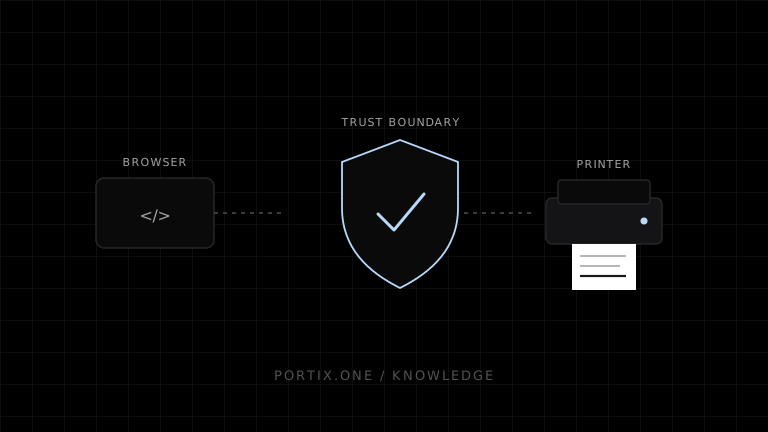
Printing crosses several trust boundaries: web content, browser UI, operating-system services, drivers, networks, and physical devices. Standard browser printing limits direct hardware control and keeps the user in the confirmation path. More automated integrations can be safe, but they must replace that browser mediation with explicit authorization, validation, and operational controls.
The trust boundaries
Untrusted or semi-trusted web content
                 ↓ request
Browser origin, document, and sandbox policy
                 ↓ user-mediated print workflow
Operating-system print service and queue
                 ↓ rendered or device data
Driver / transport / printer firmware
                 ↓
Physical output and whoever can collect it
Each arrow is a boundary where identity, data, authority, or observability changes.
Why browsers mediate printing
Unrestricted printing would let any visited page consume paper and ink, disrupt operations, target sensitive devices, or send unexpected content without meaningful consent. The standard window.print() method therefore requests a user-controlled workflow rather than exposing a printer handle or silent job API.
The HTML Standard also connects printing with modal and sandbox policy. If a document has the sandboxed modals flag, the printing steps return before firing beforeprint or afterprint. This lets an embedding context restrict a framed document’s ability to trigger modal print UI.
The main security and privacy risks
Unwanted print requests
A page can create nuisance or social-engineering pressure by prompting at surprising times or repeatedly. Invoke printing only after a clear user action, label the action accurately, and prevent accidental duplicate requests.
Sensitive content in physical form
Printed documents can remain in output trays, shared offices, waste bins, or PDF folders. A secure application should show what will be printed, avoid unnecessary secrets, and communicate when content is sensitive.
Data leakage through the destination
A user can select the wrong shared printer or PDF location. Standard browser UI gives the user control but cannot eliminate human error. High-risk environments may need approved queues, release printing, classification labels, retention rules, or restricted destinations at the platform level.
Untrusted printable content
User-supplied HTML, remote images, generated documents, barcodes, and QR codes can mislead readers or expose data. Treat printable output as a security-sensitive presentation: escape or sanitize untrusted markup, constrain remote resources, and make document identity and origin visible.
Local print-system exposure
Spoolers, drivers, helper applications, and printer firmware process complex data with local privileges and network access. Keep supported platforms patched, reduce unnecessary drivers, use trusted packages, and segment devices appropriate to organizational risk.
Raw command abuse
A local runtime that accepts ESC/POS, ZPL, or other raw data may expose more than text output. Commands can change device state, trigger cutters or drawers, consume supplies, or produce deceptive labels. Raw printing requires stricter authorization and format controls than rendering an ordinary document.
Secure use of standard browser printing
- Require an intentional action. Start printing from a clearly labeled button or command.
- Show the printable scope. Make it clear whether the action prints one receipt, a report, or an entire batch.
- Minimize printed data. Exclude secrets and irrelevant personal information with server-side selection and print CSS.
- Sanitize untrusted content. Do not insert untrusted HTML into a printable document without an appropriate sanitizer and content model.
- Avoid print-trigger loops. Debounce the action and restore UI safely after the workflow.
- Respect embedding policy. Use iframe sandbox settings deliberately and test the required printing behavior.
- Do not claim delivery from
afterprint. It does not verify that paper was produced or collected. - Provide safe cancellation and retry. Users should be able to stop before submission and understand duplicate risk.
Securing a local printing runtime
A local runtime changes the threat model because it can bridge a remote origin to local devices. Minimum controls should include:
| Control | Purpose |
|---|---|
| Explicit pairing or enrollment | Establish which user, tenant, browser, or device may submit jobs |
| Origin allowlist | Reject requests from unapproved web origins |
| Authentication | Prove the caller or session identity |
| Per-printer authorization | Limit which identities can use each destination |
| Job schema validation | Reject malformed, oversized, or unsupported payloads |
| Raw-command restrictions | Limit dangerous commands and supported languages |
| Replay protection and idempotency | Prevent unintended duplicate output |
| Rate and size limits | Protect availability and supplies |
| Transport protection | Prevent interception or modification where applicable |
| Audit records | Record requester, destination, time, outcome, and safe metadata |
| Revocation and expiry | Remove old pairings and short-lived authority |
| Signed updates | Protect the trusted bridge over its lifecycle |
Do not treat “localhost” as authentication. Other local processes and web content may be able to reach a listening service depending on its protocol, binding, and defenses. The runtime must verify the application-level requester and enforce authorization independently.
Content Security Policy and print content
Print mode does not create a separate security origin. The document remains subject to its normal resource-loading and script controls. A well-designed Content Security Policy can reduce exposure to unexpected scripts, styles, frames, and remote resources, but it is not a printer-authorization system.
For generated print views, prefer the same trusted rendering pipeline used by the application rather than constructing large HTML strings from untrusted data.
Security checklist
- Printing follows a clear user action unless the environment is explicitly managed.
- The user can preview the document and understand its scope.
- Sensitive fields are minimized and classified appropriately.
- Untrusted markup and URLs are validated or sanitized.
- Duplicate submissions are prevented or visibly recoverable.
- Shared-printer and unattended-output risks are documented.
- Local integrations authenticate and authorize requests.
- Origins and printer destinations use least privilege.
- Job types, sizes, rates, and raw commands are constrained.
- Pairings and credentials expire and can be revoked.
- Runtime, driver, operating system, and device updates are maintained.
- Logs avoid storing complete sensitive documents by default.
Common mistakes
Trusting any request because it comes from a browser
Browsers can load hostile or compromised origins. Identity and authorization must be established, not inferred from the client type.
Allowing every paired site to use every printer
Pairings should grant the minimum destinations and capabilities required. A receipt terminal should not automatically gain access to an office-wide label fleet.
Logging full document payloads
Full payload logs can become a second repository of receipts, labels, health data, or credentials. Store metadata by default and retain content only under an explicit policy.
Using afterprint as proof
Closing a print workflow is not proof of submission, completion, collection, or destruction.
Frequently asked questions
Is window.print() dangerous?
It is a print request, not unrestricted device access. Poorly timed or repeated requests can be abusive, and printed content can be sensitive, but the standard workflow retains browser and user mediation.
Can a sandboxed iframe print?
An iframe whose active sandbox flags include sandboxed modals is blocked by the HTML printing steps. The precise embedding policy should be tested for the supported browsers.
Is a localhost print service automatically safe?
No. It needs authentication, origin validation, authorization, input limits, replay protection, secure updates, and logging appropriate to its capabilities.
Should print jobs be encrypted?
Protect data in transit whenever it crosses an untrusted or shared channel. At-rest and end-to-end requirements depend on sensitivity, platform capabilities, and the organization’s threat model.
References
- HTML Standard — Printing — WHATWG, accessed Jul 18, 2026
- HTML Standard — The iframe element and sandbox flags — WHATWG, accessed Jul 18, 2026
- Print Spooler Architecture — Microsoft Learn, accessed Jul 18, 2026
Related content
concept
Browser Printing Architecture
Understand the browser, paged-media renderer, print UI, operating-system spooler, driver, transport, and printer layers in a web printing system.
concept
Browser Printing Limitations
Understand the limits of window.print(), print CSS, printer selection, silent printing, job status, hardware commands, and cross-browser consistency.
concept
How Browser Printing Works
Follow a browser print job from window.print() and print CSS through preview, the operating-system spooler, printer driver, and physical device.
concept
What Is Browser Printing?
Learn how browser printing turns a web page into paper or PDF, what developers can control with JavaScript and CSS, and where browser-based printing falls short.