
concept · esc-pos
ESC/POS Barcodes
Quick answer
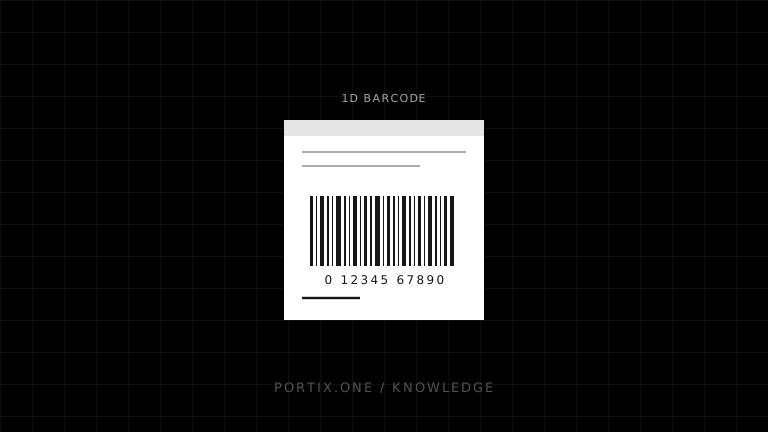
ESC/POS one-dimensional barcodes commonly use GS k, with separate commands controlling module width, height, and human-readable interpretation (HRI) text. Epson documents support for systems such as UPC-A, UPC-E, EAN-13/JAN-13, EAN-8/JAN-8, Code 39, ITF, Codabar, and model-dependent additional formats. Validate content before sending it, use only supported parameter forms, preserve quiet zones, and verify physical symbols in their real scanning environment.
Compatible ESC/POS printers can generate one-dimensional barcode symbols from validated data. The application selects dimensions and human-readable text options, then sends a print-barcode command with a supported symbology and correctly framed payload. The printer draws the bars, but the application remains responsible for choosing valid data and an appropriate barcode standard.
Barcode command flow
Choose symbology from business requirement
                 ↓
Validate and normalize data
                 ↓
Set module width, height, HRI position/font
                 ↓
Set print alignment and available width
                 ↓
Send GS k with symbology and framed data
                 ↓
Feed clear space and print
                 ↓
Verify physical barcode
Do not let the printer be the first validator. Invalid content may be ignored, truncated, printed unexpectedly, or converted differently across models.
GS k: print a barcode
Epson documents two forms:
Function A: GS k m d1...dk NUL
Function B: GS k m n d1...dn
Function A uses a null terminator; Function B carries an explicit one-byte data length. Supported m values, symbologies, lengths, and allowed characters vary by printer. Prefer the form documented for the target fleet and validate that payload length fits its range.
Select the right symbology
| Symbology | Typical characteristic | Validation concern |
|---|---|---|
| UPC-A / UPC-E | Retail identifiers in applicable regions | Fixed lengths and check-digit rules |
| EAN-13 / EAN-8 | GS1 retail identifiers | Correct GTIN structure and check digit |
| Code 39 | Restricted alphanumeric set | Start/stop handling and low data density |
| ITF | Numeric pairs | Even number of digits and application rules |
| Codabar | Restricted characters | Start/stop characters and domain use |
| Code 128 | Dense full ASCII via code sets | Correct code-set switching and function data |
| GS1-128 | GS1 element strings using Code 128 | Application identifiers and FNC1 semantics |
A printer’s ability to draw a symbology does not determine whether it is valid for a product, shipment, patient, asset, or internal workflow. Follow the governing standard and trading-partner requirements.
Width and height
The module width command sets the narrow element in printer dots for supported symbologies. Wider modules generally improve tolerance but consume more receipt width. Height affects scanning geometry and available space.
Epson’s GS k reference includes command-specific constraints and notes that certain conditions can influence printed height. Never assume that a requested value is honored identically by every model.
Calculate whether the complete symbol, including quiet zones, fits the printer’s printable dot width before submitting it.
Human-readable text
HRI text shows barcode data in characters above or below the bars when supported. It helps operators identify or type the value, but it does not replace machine-readable quality.
HRI rendering uses printer fonts and character capabilities. For restricted symbologies, keep the displayed business value and encoded value consistent, especially when check digits or GS1 control characters are involved.
Quiet zones
Scanners need clear margins around a barcode. Do not place text, borders, logos, paper edges, or cuts inside the required quiet zones. Alignment commands position the symbol but do not excuse an undersized printable area.
Test receipts after handling and cutting. Paper curl, darkened thermal stock, folds, and nearby graphics can affect scanning.
Data validation
Create a symbology-specific validator before byte generation:
Input value
   ↓ allowed characters
   ↓ exact/minimum/maximum length
   ↓ check digit or application identifier rules
   ↓ canonical encoded value
   ↓ GS k payload framing
For Code 128 and GS1-128, use a proven encoder that understands code sets and function characters. Do not insert visual placeholders for control symbols into the raw data without the command-specific encoding rules.
Native barcode vs raster image
| Approach | Advantages | Tradeoffs |
|---|---|---|
Native GS k | Compact data; printer creates bars on dot grid | Supported symbologies and behavior vary |
| Rasterized barcode | Application controls exact rendered bitmap | More bytes; resizing can invalidate dimensions |
If rasterizing, preserve integer dot widths, correct quiet zones, and nearest-neighbor geometry. Never scale a barcode image with smoothing.
Verification and maintenance
GS1 recommends checking symbol content and using technical verification for barcode print quality. Verification is different from testing with one scanner: it grades defined properties under controlled conditions.
Reverify after changes to printer, resolution, darkness, speed, media, layout, firmware, driver, or maintenance. Missing printhead dots can create a line through every label or receipt and damage many symbols at once.
Common barcode failures
| Symptom | Likely cause |
|---|---|
| Printer outputs nothing | Invalid data, length, m, or unsupported symbology |
| Barcode is clipped | Symbol plus quiet zone exceeds print width |
| Scanner reads wrong value | Check digit, framing, code set, or data normalization |
| HRI differs from expected | Printer handling or encoded/display value mismatch |
| Intermittent scans | Marginal width, height, contrast, quiet zone, or printhead |
| Command bytes print as text | Wrong binary transport or printer emulation |
Frequently asked questions
Does ESC/POS calculate check digits?
Behavior depends on symbology, command form, and printer. Validate and normalize identifiers according to the governing standard before printing.
What barcode width should I use?
Use a module width that fits the printable area and meets the applicable standard after physical verification. There is no universal value for every printer and scanner.
Is a phone scan enough to approve a barcode?
No. It is a useful functional test, but operational or standardized barcodes may require formal verification.
Can I print GS1-128 with ESC/POS?
Only when the target model supports the required Code 128 behavior and your encoder correctly represents GS1 application identifiers and FNC1 semantics.
References
- GS k — Print barcode — Epson, accessed Jul 19, 2026
- ESC/POS Commands in Code Order — Epson, accessed Jul 19, 2026
- GS1: 10 Steps to Barcode Your Product — GS1, accessed Jul 19, 2026
- GS1: Barcode Quality Checks — GS1, accessed Jul 19, 2026
Related content
concept
ESC/POS Commands Explained
Understand ESC/POS command bytes, parameters, printer state, buffers, command families, status, cutting, and safe command construction.
concept
ESC/POS Images
Learn how to convert logos and graphics into monochrome ESC/POS raster data, including sizing, thresholding, packing, chunking, and compatibility.
concept
ESC/POS QR Codes
Learn how ESC/POS printers configure, store, and print QR Codes, and how to choose module size, error correction, payload, quiet zones, and verification.
concept
What Is ESC/POS?
Learn what ESC/POS is, how byte commands control compatible receipt printers, and when to use it instead of driver or browser-rendered printing.