
concept · esc-pos
ESC/POS Commands Explained
Quick answer
ESC/POS commands are byte sequences composed of a prefix, command code, parameters, and sometimes a length plus payload. ESC @ initializes common modes; LF prints and feeds a line; ESC a n selects justification; GS k prints supported one-dimensional barcodes; and GS ( k handles supported two-dimensional symbols. Names are human-readable notation—the application must send their numeric bytes in the required order.
An ESC/POS print job interleaves printable data with binary commands. Commands can update printer state, format subsequent content, move paper, print stored binary objects, request status, or activate supported hardware. Correct construction requires byte-level handling and a model-specific command reference.
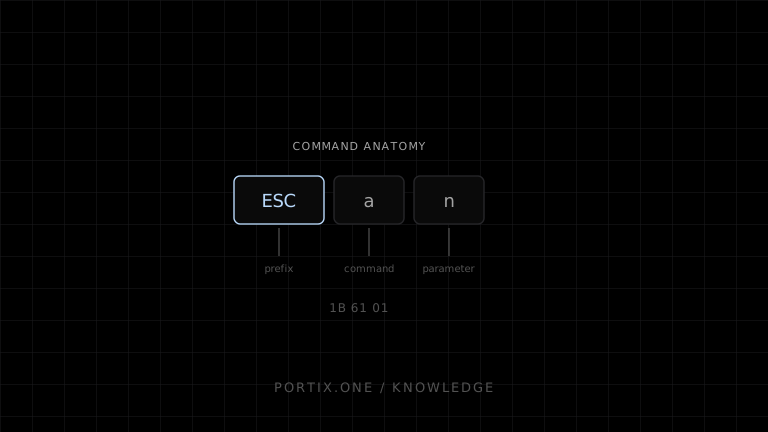
Command anatomy
Simple command:
ESC a n
│   │ └─ parameter: alignment value
│   └─── command byte: "a" = 0x61
└─────── prefix: ESC = 0x1B
Length-prefixed command:
GS ( k pL pH cn fn [parameters or data]
      └─┬─┘
        └── little-endian payload-section length
The meaning and length formula come from the exact command definition. Do not infer them from similar commands.
Common command families
| Prefix | Byte | Typical role |
|---|---|---|
| Control code | Varies | Line feed, tab, real-time controls |
ESC | 0x1B | Text style, position, modes, initialization |
GS | 0x1D | Barcodes, images, cutting, advanced functions |
FS | 0x1C | Character systems, labels, model-specific groups |
DLE | 0x10 | Real-time status and requests on supported devices |
The categories are helpful conventions, not a complete protocol grammar.
Stateful commands
Many commands affect later content rather than producing output immediately. A robust job explicitly establishes required state:
Initialize
Select character table
Set alignment
Set emphasis and size
Send text
Restore or set next style
Feed
Cut
ESC @ clears the print buffer and resets many modes to power-on values, but Epson documents exceptions: it does not erase items such as NV graphics or user NV memory. Initialization is not the same as factory reset.
Byte-safe construction
Use a byte builder rather than a Unicode string:
const ESC = 0x1b;
const LF = 0x0a;

const command = (...values) => Uint8Array.from(values);
const initialize = command(ESC, 0x40);
const center = command(ESC, 0x61, 0x01);
Text must be encoded separately with the code page or encoding that matches printer state. Binary image or symbol data may contain zero bytes and invalid UTF-8 sequences, so string concatenation can corrupt it.
Buffering and execution
Printers commonly receive bytes into a buffer and execute them in sequence. Some commands require the printer to be at the beginning of a line, have an empty print buffer, be in Standard mode, or be online. Others act in real time through a different processing path.
Transport writes can be split or combined arbitrarily. A correct printer-side parser relies on command lengths, terminators, and state—not on application write boundaries.
Parameters and ranges
A parameter may be documented as:
- A numeric byte such as
0,1,48, or49. - Low and high bytes such as
pLandpH. - A null-terminated field.
- A fixed or variable-length payload.
- A value whose supported range changes by model.
Validate before constructing the stream. Silent clamping, ignored commands, buffer desynchronization, or unexpected output can result from invalid values.
Status commands
Status may be automatic, requested, or real-time depending on printer and interface. A response is binary data and must not be mixed blindly with ordinary application logging or text processing.
Design status handling around explicit questions:
- Did the transport accept bytes?
- Is the printer online?
- Is paper available?
- Is the cover open?
- Is a recoverable or unrecoverable error reported?
- Did the device report a completed operation?
No single answer necessarily proves that the correct physical receipt reached the user.
Cut and peripheral commands
Cutters, drawers, and buzzers are physical actions. Commands and allowed parameters differ across models, and some commands are obsolete even if legacy devices accept them. Consult the supported-command page for the target model and prefer current documented commands.
Guard these actions separately from document formatting. A reprint may need another receipt but not another drawer pulse.
A maintainable command layer
Business document
      ↓
Layout tokens: text, row, image, barcode, feed, cut
      ↓
Capability-aware ESC/POS encoder
      ↓
Validated byte stream
      ↓
Authorized transport adapter
Keep raw numeric sequences inside a tested encoder. Business code should express intent such as receipt.total() or job.cut() rather than manually appending bytes.
Compatibility strategy
- Maintain a profile per supported model and firmware family.
- Generate only commands confirmed by its official reference.
- Declare defaults instead of relying on prior jobs.
- Add golden byte-stream tests for known documents.
- Test output and status on physical devices.
- Bound payload and response sizes.
- Record transport, timeout, retry, and idempotency behavior.
Frequently asked questions
Are ESC/POS commands ASCII strings?
Documentation uses ASCII mnemonics, hex, and decimal notation. The transmitted protocol is bytes and can contain arbitrary binary payloads.
Can commands be sent one byte at a time?
A transport may segment writes, but performance and failure behavior vary. Build complete validated sequences or sensible chunks and let the protocol framing define boundaries.
Why does a command print as text?
The prefix or byte encoding may be wrong, the printer may be in another emulation, or the model may not recognize the command.
Should every job begin with ESC @?
Initialization provides a known common state, but it clears buffered print data and does not reset everything. Use it according to job ownership and the model’s documented behavior.
References
- ESC/POS Commands in Code Order — Epson, accessed Jul 19, 2026
- ESC @ — Initialize printer — Epson, accessed Jul 19, 2026
- GS ( k — Set up and print symbols — Epson, accessed Jul 19, 2026
Related content
concept
ESC/POS Barcodes
Learn how ESC/POS printers generate one-dimensional barcodes, including symbology, data validation, module width, height, HRI text, quiet zones, and verification.
concept
ESC/POS Character Encoding
Learn why ESC/POS text prints as incorrect symbols and how code pages, international sets, Unicode, byte encoding, fonts, and rasterization affect multilingual receipts.
concept
ESC/POS Images
Learn how to convert logos and graphics into monochrome ESC/POS raster data, including sizing, thresholding, packing, chunking, and compatibility.
concept
ESC/POS QR Codes
Learn how ESC/POS printers configure, store, and print QR Codes, and how to choose module size, error correction, payload, quiet zones, and verification.
concept
What Is ESC/POS?
Learn what ESC/POS is, how byte commands control compatible receipt printers, and when to use it instead of driver or browser-rendered printing.