
concept · printing-infrastructure
Network Printing Explained
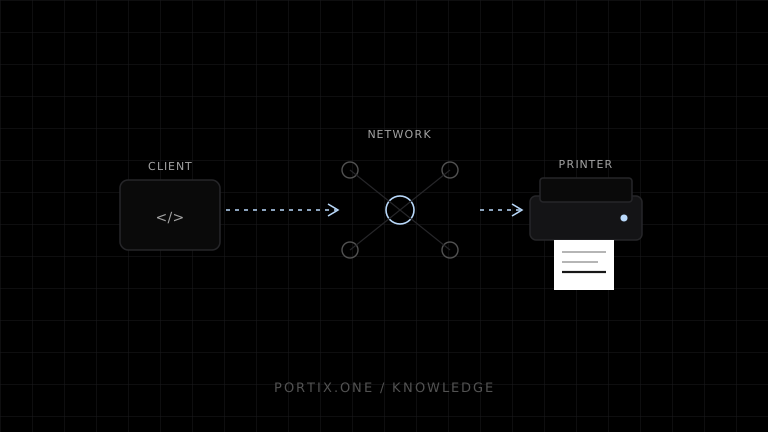
Quick answer
In network printing, an application submits to a local queue, print server, cloud/local gateway, or printer endpoint. Common paths use IPP, platform sharing protocols, or device-specific/raw TCP services. The transport does not define the document language: the destination must still understand PDF, PWG Raster, PCL, PostScript, ESC/POS, or another negotiated format. Prefer authenticated and encrypted standards such as IPPS where supported, restrict printer networks, and design retries for unknown outcomes.
Network printing sends jobs to a printer or print server reachable over an IP network. It enables sharing and flexible placement, but introduces addressing, discovery, authentication, segmentation, protocol, queue, and intermittent-connectivity concerns.
Architectures
Direct:  Client → network printer

Server:  Client → print server queue → printer

Gateway: Web app → local/site runtime → printer fleet

Cloud:   Client/service → managed cloud queue → site agent → printer
Each adds a different authority and failure boundary.
Protocol and format are different
- Protocol/transport: how the job and control messages travel, such as IPP/IPPS, platform sharing, or raw TCP.
- Document/printer format: what the bytes mean, such as PDF, PWG Raster, PCL, PostScript, ESC/POS, or ZPL.
A reachable TCP port does not guarantee the printer understands the payload.
IPP and IPPS
The Internet Printing Protocol models printers, jobs, attributes, operations, and status over HTTP. IPPS adds TLS protection. Modern platforms and driverless printing commonly use IPP plus standardized document formats and capability discovery.
Validate actual printer and server conformance, supported formats, authentication, certificate management, and status semantics.
Raw TCP printing
Some devices accept printer-ready bytes on a TCP socket, often called raw or socket printing. It is simple and efficient for a controlled fleet but commonly lacks rich authentication, encryption, job identity, and unambiguous completion semantics.
Place such devices on restricted networks and send only through authorized gateways. Do not expose printer ports directly to the public internet.
Addressing and discovery
Prefer managed DNS names, reserved addresses, or print-server queues over hard-coded ephemeral IPs. Discovery protocols can simplify setup but may cross trust boundaries poorly or fail across VLANs. Separate enrollment/discovery from ongoing stable mapping.
Security
- Segment printers and restrict source networks.
- Prefer encrypted/authenticated protocols where supported.
- Change default credentials and disable unused services.
- Patch firmware and print servers.
- Authorize queue and printer roles.
- Protect documents in transit and spool storage.
- Avoid unauthenticated raw ports across untrusted networks.
- Log safe metadata and monitor unusual volumes.
- Treat printer admin interfaces as infrastructure, not public application APIs.
Reliability and unknown outcomes
Networks can fail after a server or printer has accepted part or all of a job. A timeout does not prove non-delivery. Use protocol job IDs when reliable, stable application IDs, reconciliation, and explicit reprint policy.
Monitor DNS, reachability, queue age, server health, device status, and site connectivity separately.
Common failures
| Symptom | Check |
|---|---|
| Printer unreachable | Address, DNS, VLAN, firewall, power |
| Connection refused | Service/port disabled or wrong protocol |
| Job accepted but no output | Queue, format, driver, media, device state |
| Gibberish | Payload language mismatch |
| Works on one subnet only | Routing, discovery scope, ACL |
| Certificate warning | IPPS trust, hostname, expiry |
| Duplicates after outage | Timeout retry without reconciliation |
Frequently asked questions
Is a Wi-Fi printer network printing?
Usually yes: Wi-Fi is the link, while printing uses an IP protocol above it. Bluetooth is a different family of links and profiles.
Do network printers need drivers?
They may use model-specific drivers, class drivers, or driverless IPP paths depending on platform and capabilities.
Is port 9100 always raw printing?
It is commonly associated with raw socket printing, but never infer security, format, or behavior from a port number alone.
Should a browser connect directly to a printer IP?
Usually use a controlled runtime or service that handles authorization, protocol, local-network permissions, routing, and compatibility.
References
- IPP System Service v1.0 — Printer Working Group, accessed Jul 19, 2026
- Communication of Print Job Data — Microsoft Learn, accessed Jul 19, 2026
- Local Network Access — MDN, accessed Jul 19, 2026
Related content
concept
What Are Print Drivers?
Learn how print drivers expose printer capabilities, convert application output into device-ready data, and affect layout, compatibility, performance, and security.
concept
What Is a Print Queue?
Learn how print queues organize jobs, destinations, states, priorities, retries, and operator actions—and how a queue differs from a spooler.
concept
What Is a Print Spooler?
Learn how a print spooler accepts, stores, schedules, processes, and sends print jobs—and how to diagnose spooler failures safely.
concept
What Is Raw Printing?
Learn how raw printing sends printer-ready bytes such as ESC/POS, ZPL, PCL, or PostScript without normal document rendering.
concept
USB Printing Explained
Learn how USB printers connect through device classes, endpoints, operating-system queues, drivers, raw protocols, permissions, and stable device mapping.