
concept · thermal-printing
POS Printing Basics
Quick answer
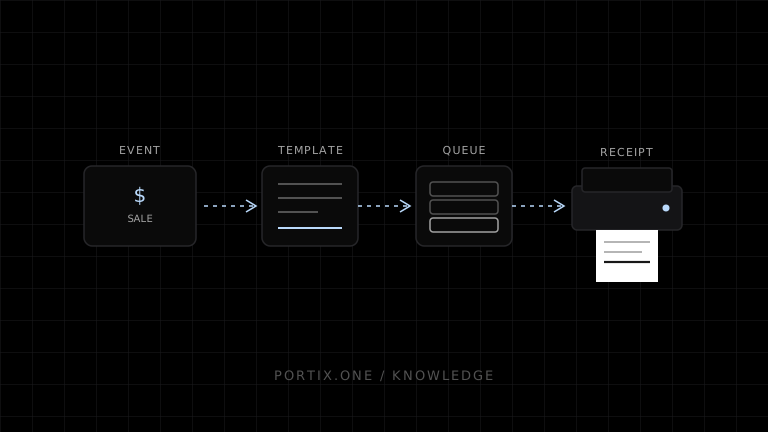
POS printing starts with authoritative transaction data, formats it for a specific document and printer profile, routes an identifiable job to the correct queue or device, and reports a useful outcome to the operator. Browser printing is sufficient when a person can choose and confirm each destination. Fast or unattended operations usually need a trusted local runtime, managed service, native application, or kiosk configuration for automatic routing, device commands, status, and retries.
Point-of-sale printing turns a completed business event into a receipt, kitchen ticket, order slip, label, or report at the correct physical destination. The visible document is only part of the problem. A dependable POS system must define transaction state, rendering, routing, printer capabilities, job identity, failure recovery, and operator feedback.
The POS printing pipeline
Committed sale or operational event
                ↓
Immutable print payload / document snapshot
                ↓
Receipt, ticket, or label template
                ↓
Renderer: HTML, driver, SDK, or device commands
                ↓
Routing rule and printer profile
                ↓
Queue / runtime / platform print subsystem
                ↓
Printer, cutter, or attached drawer
                ↓
Status, retry, reprint, and audit trail
Do not build the printed document from a mutable shopping cart after payment. Create a stable snapshot tied to the finalized transaction or defined operational event.
Common POS documents
| Document | Primary reader | Typical requirement |
|---|---|---|
| Customer receipt | Customer | Totals, tender, tax, return information |
| Kitchen ticket | Production staff | Clear routing, modifiers, urgency, course or station |
| Order slip | Fulfillment staff | Items, quantities, identifiers, pickup/delivery context |
| Product or shipping label | Scanner and operator | Standards-compliant barcode and durable application |
| End-of-day report | Manager | Accurate aggregation and controlled access |
Each document should have its own template, destination rules, retry policy, and retention requirements.
Rendering options
HTML and browser printing
The application renders a web document and calls window.print(). This is accessible and simple for occasional, user-confirmed jobs. It does not provide a general API for silent routing or raw device control.
Operating-system driver
The POS prints through an installed queue. Drivers integrate with platform administration and many printer models, but output can vary with scaling, margins, versions, and configuration.
ESC/POS or another device language
A trusted component generates commands for text, graphics, barcodes, feed, cut, or supported peripherals. This can be efficient and predictable on known devices, but command compatibility must be tested per model.
Vendor SDK or managed service
An abstraction can provide discovery, templates, routing, and status. Evaluate offline operation, supported hardware, security, observability, updates, cost, and portability.
Printer routing
Routing answers which job goes where. Avoid embedding a workstation’s printer name directly into business logic. Use stable logical roles:
customer-receipt → front-counter receipt printer
kitchen-hot      → hot-line printer
kitchen-cold     → cold-station printer
shipping-label   → packing-station label printer
A deployment maps each logical role to a real queue or device. This makes replacement, failover, multi-location configuration, and testing easier.
Job identity and idempotency
A network retry or impatient button press must not create uncontrolled duplicates. Give each intended output a stable identifier, for example a transaction ID plus document type and revision.
Define whether resubmitting the same identifier:
- Is ignored because the job is already accepted.
- Returns the existing job state.
- Creates an explicitly labeled reprint after authorization.
Receipts and kitchen tickets may require different policies. A duplicated kitchen ticket can produce duplicate food; a blocked receipt reprint can harm customer service.
Status has multiple meanings
Use precise states rather than one ambiguous printed flag:
| State | Meaning |
|---|---|
| Prepared | Document snapshot and template succeeded |
| Submitted | A print component accepted the job |
| Queued | The platform or runtime recorded it |
| Sent | Data was delivered toward the device |
| Device-reported completion | Supported device reported a terminal state |
| Confirmed | Operator verified usable physical output |
| Failed / unknown | The system knows failure or cannot determine outcome |
Standard window.print() cannot expose this full lifecycle. afterprint only indicates that the browser-side workflow ended.
Cutters and cash drawers
Cutting and drawer opening are device actions, not visual layout features. They require supported commands, drivers, SDKs, or platform configuration.
Open a drawer only after an authorized event and apply least privilege. A reprint should not necessarily reopen it. Define behavior for cash sales, card sales, refunds, no-sale access, offline operation, and manager overrides.
Offline and failure handling
A POS must keep selling or fail safely according to business risk. Plan for:
- Printer offline, cover open, paper out, or cutter jam.
- Runtime disconnected or queue stopped.
- Network loss between terminal and service.
- Job accepted but outcome unknown.
- Failover printer unavailable or inappropriate.
- Application restart during submission.
Show the affected document and destination, preserve the stable job ID, prevent accidental duplicates, and offer authorized retry, reprint, reroute, or digital delivery where appropriate.
Receipt and ticket layout basics
- Design to the printer’s actual dot width.
- Use a clear hierarchy: identity, items, totals, tender, outcome.
- Keep price columns stable across long names and localization.
- Make modifiers and exceptions more prominent on production tickets.
- Use verified barcode and QR dimensions with quiet zones.
- Avoid large raster logos when speed and bandwidth matter.
- Include a visible reprint marker and reason when policy requires it.
- Minimize personal and payment data according to applicable requirements.
Minimal implementation checklist
- Transaction state that authorizes printing is defined.
- Each document uses a versioned, testable template.
- Logical printer roles are mapped per location or terminal.
- Printer width, resolution, command set, and capabilities are profiled.
- Jobs have stable identifiers and duplicate policy.
- Status labels correspond to observable boundaries.
- Retry, reprint, reroute, and failover rules are documented.
- Cutter and drawer actions are authorized separately.
- Offline, paper-out, jam, and unknown-outcome states are tested.
- Sensitive data and audit retention are minimized.
Frequently asked questions
Can a web POS print without a dialog?
Not through the general window.print() API on an ordinary public page. A controlled kiosk or trusted printing integration is normally required.
Should a POS print HTML or ESC/POS?
HTML is useful for browser-rendered documents and PDF. ESC/POS is useful for efficient device-native receipt output on compatible printers. Choose by deployment, control, hardware, status, and maintenance needs.
Should printing happen before or after payment?
The authorization point depends on document type, but the final customer receipt should represent the committed transaction. Define previews, declined-payment slips, kitchen routing, and fiscal requirements separately.
How should reprints work?
Use the original immutable transaction data, mark and audit the reprint when required, request authorization appropriate to risk, and avoid repeating unrelated hardware actions.
References
- HTML Standard — Printing — WHATWG, accessed Jul 18, 2026
- TM-m10 and TM-m30 POS Receipt Printer Specifications — Epson, accessed Jul 18, 2026
- Introduction to Printing — Microsoft Learn, accessed Jul 18, 2026
- GS1 2D Barcodes at Retail POS Implementation Guideline — GS1, accessed Jul 18, 2026
Related content
concept
Label Printers Explained
Learn how label printers handle media, sensing, resolution, barcodes, ribbons, adhesives, and software for shipping, inventory, product, and asset labels.
concept
Receipt Printers Explained
Learn how receipt printers work, the differences between thermal and impact models, and how paper, cutters, connectivity, commands, and software affect POS printing.
concept
What Is a Thermal Printer?
Learn how thermal printers use heat to produce receipts, labels, and barcodes, including direct thermal and thermal transfer technologies.