
concept · printing-infrastructure
What Is a Print Queue?
Quick answer
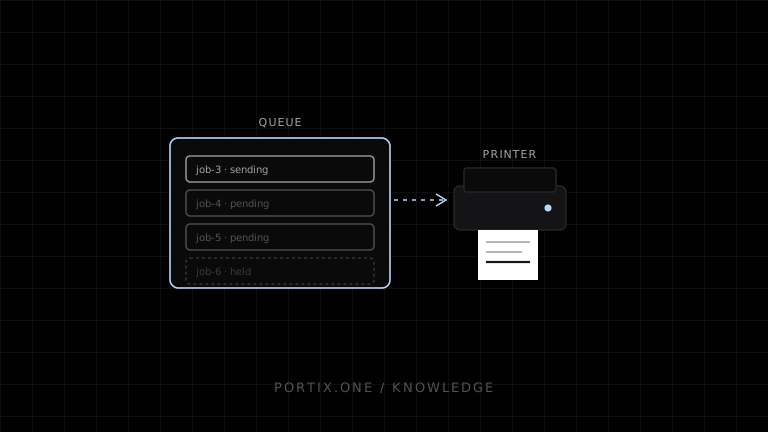
A print queue represents pending and active jobs for a printer or logical destination. Each job contains document data plus metadata such as identity, owner, time, copies, media, and state. The queue determines which eligible job proceeds next. A queue is the jobs and their logical destination; a spooler is the service that commonly stores, schedules, processes, and sends those jobs.
A print queue is an ordered collection and control point for jobs assigned to a logical printing destination. It lets applications submit work without waiting for immediate physical output and lets the printing system schedule, pause, cancel, inspect, or retry jobs according to its capabilities.
Queue model
Applications submit jobs
       ↓
┌────────────────────────────┐
│ Logical print queue        │
│ 1. active / sending        │
│ 2. pending                 │
│ 3. held                    │
│ 4. pending                 │
└─────────────┬──────────────┘
              ↓ scheduler
Driver / renderer / transport
              ↓
Physical printer
One physical printer can have multiple logical queues with different defaults or access rules, and one logical pool can route to more than one physical device in some systems.
Job states
State names vary, but useful concepts include:
| State | Meaning |
|---|---|
| Created | Application constructed the job |
| Accepted | Queue accepted responsibility |
| Held | Waiting for release, time, dependency, or operator |
| Pending | Eligible and waiting |
| Processing | Being rendered or sent |
| Paused | Intentionally stopped |
| Completed | Queue reached its terminal success definition |
| Canceled | User or system stopped the job |
| Failed | Known terminal error |
| Unknown | Outcome cannot be established safely |
“Completed” may mean data left the queue, not that a person received correct paper. Document the boundary.
Queue metadata
A reliable application-level queue commonly records:
- Stable job ID and idempotency key.
- Document type and revision.
- Logical printer role and resolved destination.
- Submitter, tenant, terminal, and authorization context.
- Created, accepted, started, and terminal timestamps.
- Attempt count and last error.
- Format, size, copies, and safe media options.
- Parent transaction or workflow reference.
Avoid retaining complete sensitive payloads longer than recovery and policy require.
Scheduling
First-in, first-out is common but not universal. Queues can include priority, release printing, printer pooling, dependencies, or media constraints. Priority should solve a real operational need; uncontrolled priority can starve ordinary jobs.
For POS, separate logical roles such as customer-receipt, kitchen-hot, and shipping-label. Do not route solely by whichever physical printer is currently online if the document would be unsafe or unusable there.
Retry and duplicate safety
A retry is safe only when the system knows whether the previous attempt produced output or the consequence of duplication is acceptable. Use stable identifiers and distinguish:
- Automatic retry before any submission.
- Retry after an explicit failure.
- Retry after an unknown outcome.
- Authorized reprint after known completion.
An unknown kitchen-ticket outcome is operationally different from a replaceable report.
Queue vs spooler
| Print queue | Print spooler |
|---|---|
| Logical destination and collection of jobs | Service/process managing print work |
| Has job order and states | Stores, schedules, renders/routes, and communicates |
| Can be modeled in an app or OS | Usually platform infrastructure |
| Answers “what is waiting?” | Answers “who manages the path?” |
Monitoring signals
- Queue depth and oldest-job age.
- Time from accepted to processing and terminal state.
- Failure and retry rate by printer profile.
- Jobs stuck beyond a defined threshold.
- Duplicate and reprint rate.
- Unknown outcomes.
- Operator intervention time.
Alert on service impact, not normal brief queueing.
Common failures
| Symptom | Inspect |
|---|---|
| Jobs never advance | Queue paused, spooler stopped, dependency, destination offline |
| Wrong order | Priority, retries, multiple producers |
| Duplicate output | Missing idempotency or ambiguous retry |
| Queue says complete, no paper | Completion semantics and lower-layer status |
| One job blocks all others | Rendering hang, oversized job, error policy |
Frequently asked questions
Is a printer name the same as a queue?
Often a displayed printer name identifies a logical queue, not the physical device alone.
Should an application maintain its own queue?
Only when it needs business-level identity, routing, offline persistence, or retry semantics beyond the platform queue. Coordinate rather than duplicate blindly.
Can queue status confirm physical output?
Not always. It depends on platform, protocol, driver, and device feedback.
References
- Print Spooler Architecture — Microsoft Learn, accessed Jul 19, 2026
- Introduction to Printing — Microsoft Learn, accessed Jul 19, 2026
Related content
concept
What Is a Local Printing Runtime?
Learn how a local printing runtime securely connects web applications to printers for routing, raw commands, queues, status, retries, and silent printing.
concept
Network Printing Explained
Learn how clients, print servers, queues, DNS, IPP, raw TCP, drivers, security, status, and failover work in network printing.
concept
What Are Print Drivers?
Learn how print drivers expose printer capabilities, convert application output into device-ready data, and affect layout, compatibility, performance, and security.
concept
What Is a Print Spooler?
Learn how a print spooler accepts, stores, schedules, processes, and sends print jobs—and how to diagnose spooler failures safely.