
concept · printing-infrastructure
What Is a Print Spooler?
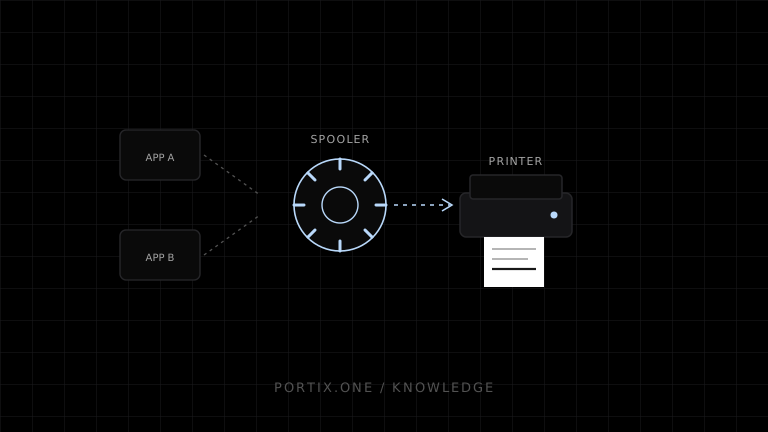
Quick answer
A print spooler accepts jobs, records their data and metadata, orders them in queues, invokes print processors or drivers when required, and sends output toward local or network printers. On Windows, Microsoft documents the spooler as the primary component managing drivers, spooling, scheduling, data types, and delivery. A stopped or blocked spooler can prevent every application using that print path from progressing.
A print spooler is a platform service that manages print jobs between applications and destinations. It lets an application finish submitting without waiting for a slow physical device, then stores, schedules, transforms, and routes the job through the appropriate printing components.
Spooler workflow
Application submits document
             ↓
Spooler accepts data and job metadata
             ↓
Spool file / queue / scheduler
             ↓
Print processor and driver or class-driver path
             ↓
Port monitor / network protocol
             ↓
Printer
The exact components differ by operating system and modern print architecture. The central purpose is asynchronous job management.
Why spooling exists
Printers are slower and less continuously available than applications. Spooling separates application time from device time:
- Applications can submit and continue.
- Multiple jobs can be ordered.
- Jobs can wait while the printer is busy or offline.
- Administrators can pause, cancel, inspect, and redirect work.
- Rendering can occur at an appropriate stage.
What the spooler stores
A platform can store rendered device data, an intermediate document representation, high-level graphics instructions, or raw printer commands. Microsoft documents Windows spooler data types including EMF, ASCII text, and RAW. The selected path affects where rendering occurs and which driver or processor participates.
Spool files can contain sensitive document content. Protect their storage, access, retention, backups, and diagnostics according to data classification.
Spooler vs driver vs queue
| Component | Primary responsibility |
|---|---|
| Queue | Logical destination and ordered job state |
| Spooler | Service coordinating storage, scheduling, processing, and delivery |
| Driver | Converts/configures output for device capabilities |
| Port or transport layer | Moves data toward local or network device |
A symptom at one layer can surface at another. A driver hang may look like a stuck spooler queue.
Common spooler failures
- Service stopped or repeatedly crashing.
- Corrupted or malformed job blocking later work.
- Driver or print processor hanging during rendering.
- Permission failure accessing queue or spool storage.
- Network destination unavailable.
- Disk space or resource exhaustion.
- Job state left inconsistent after restart.
Safe diagnosis order
- Identify whether one queue, one driver family, or all printing is affected.
- Record affected job IDs, states, times, and destinations.
- Check spooler health and platform event or service logs.
- Inspect the oldest blocked job and its format/size.
- Test a known-small document on the same and another queue.
- Validate driver, port, permissions, disk, and connectivity.
- Pause or cancel only the exact affected jobs according to policy.
- Restart services only after capturing enough evidence and assessing impact.
Deleting all queued jobs or resetting the service can destroy evidence and valid work. Use the smallest recovery action possible.
Application design around a spooler
- Treat queue acceptance and physical completion as different states.
- Use stable business job IDs outside platform-specific IDs.
- Bound job size and rendering time.
- Surface printer and queue names safely to support staff.
- Avoid tight automatic retry loops.
- Preserve original documents for authorized reprint according to policy.
- Monitor stuck-job age and spooler availability.
Security
Spoolers process content from multiple applications and may load complex drivers. Apply least privilege, trusted driver and update policies, network restrictions, queue access control, and prompt security patching. Do not expose spooler administration directly to untrusted web content.
Frequently asked questions
Is the spooler the printer queue?
No. The queue is a logical destination and job collection; the spooler is the service managing it and other print components.
Does raw printing bypass the spooler?
Not necessarily. A RAW job can still be submitted through a platform spooler, which may forward it without normal rendering.
Why does one bad job block a queue?
The spooler or driver may repeatedly attempt to process the first eligible job. Policy determines whether later jobs can proceed.
Does restarting the spooler fix the root cause?
It can restore temporary state but will not fix a malformed document, faulty driver, permission issue, or unavailable destination.
References
- Print Spooler — Microsoft Learn, accessed Jul 19, 2026
- Introduction to Spooler Components — Microsoft Learn, accessed Jul 19, 2026
- Print Spooler Architecture — Microsoft Learn, accessed Jul 19, 2026
Related content
concept
Network Printing Explained
Learn how clients, print servers, queues, DNS, IPP, raw TCP, drivers, security, status, and failover work in network printing.
concept
What Are Print Drivers?
Learn how print drivers expose printer capabilities, convert application output into device-ready data, and affect layout, compatibility, performance, and security.
concept
What Is a Print Queue?
Learn how print queues organize jobs, destinations, states, priorities, retries, and operator actions—and how a queue differs from a spooler.
concept
What Is Raw Printing?
Learn how raw printing sends printer-ready bytes such as ESC/POS, ZPL, PCL, or PostScript without normal document rendering.