
concept · printing-infrastructure
What Is Raw Printing?
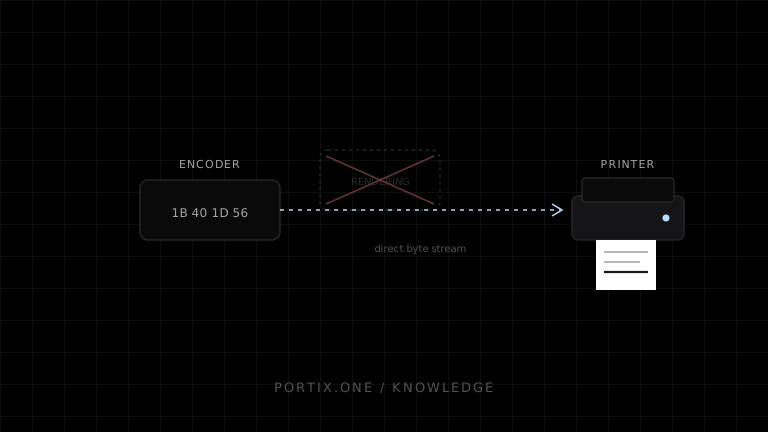
Quick answer
In raw printing, the application or trusted encoder creates the exact bytes the printer is expected to interpret. A spooler may still queue and forward the job, but it does not perform ordinary page rendering. Raw printing provides efficient device control for known hardware, including receipt cuts, label coordinates, and native barcodes. It also removes portability safeguards: the wrong language, encoding, model, or command can produce incorrect output or hardware actions.
Raw printing sends data already encoded for a target printer language without asking the normal document-rendering pipeline to lay it out. Typical raw streams contain ESC/POS, ZPL, PCL, PostScript, or another device-supported language.
Raw does not mean “no infrastructure”
Business document
      ↓ device-language encoder
Printer-ready byte stream
      ↓
Application queue / OS spooler / direct supported transport
      ↓ no ordinary document rendering
Compatible printer interpreter
Microsoft documents RAW as a spooler data type that can be passed onward without normal processing, sometimes with limited print-processor behavior. Raw data can still travel through queues, servers, and monitors.
Raw vs rendered printing
| Concern | Raw printing | Rendered printing |
|---|---|---|
| Layout owner | Application/encoder | Browser, OS, driver, or server renderer |
| Input | Printer-language bytes | HTML, PDF, graphics, document API |
| Device features | Directly available when supported | Exposed through driver/UI |
| Portability | Low without profiles | Usually broader with correct drivers |
| Data size | Often compact for text/commands | Can be larger when rasterized |
| Typography | Device-dependent | Renderer fonts and shaping |
| Failure mode | Wrong bytes can be dangerous or meaningless | Driver/layout variation |
Common raw languages
- ESC/POS: receipts and POS peripherals.
- ZPL: Zebra-compatible label workflows.
- PCL: page printers and enterprise devices.
- PostScript: page-description workflows on supported printers.
- Vendor languages: model-specific labels, tickets, cards, or industrial devices.
Language support must be confirmed from the exact printer specification, not inferred from connection type.
Raw job requirements
A production raw job needs:
- Verified printer model, firmware, emulation, and printable dimensions.
- Correct binary command and data framing.
- Character encoding strategy.
- Media, resolution, sensor, and hardware configuration.
- Stable job ID and duplicate policy.
- Size, command, and rate limits.
- Transport timeout and status strategy.
- Physical golden-output tests.
Security
Raw streams can contain more authority than a visual document: cuts, drawer pulses, configuration changes, stored graphics, or other model-specific commands. Do not accept arbitrary raw bytes from an untrusted browser or tenant.
Prefer a typed document contract and server/runtime-side encoder. If raw payloads are necessary, restrict origins, identities, printers, languages, command subsets, sizes, rates, and replays. Log safe metadata, not complete sensitive payloads by default.
Reliability and retries
A successful socket or spooler write confirms only a lower-level handoff. If the connection fails after partial transmission, the printer may have produced part or all of the job. Blind retry can duplicate receipts, labels, or drawer actions.
Use idempotency above the printer where possible and classify outcomes as known failure, known acceptance, or unknown. Some printer protocols expose status; support and semantics vary.
Common failures
| Symptom | Likely cause |
|---|---|
| Gibberish | Wrong printer language or encoding |
| Commands print visibly | Printer not in expected emulation or bytes corrupted |
| No output | Unsupported command, offline device, incomplete framing |
| Partial output | Buffer, transport, timeout, or power interruption |
| Wrong label position | Device profile, origin, resolution, media calibration |
| Duplicate receipt | Ambiguous retry without idempotency |
When to use raw printing
Use it for a controlled hardware fleet when compact commands, exact receipt/label behavior, device-native barcodes, cutters, drawers, or predictable dot layout justify the compatibility work.
Prefer rendered printing when documents require broad fonts, complex layout, easy PDF output, user choice, or unknown printers.
Frequently asked questions
Does raw printing bypass the driver?
It bypasses ordinary driver rendering, but a queue, spooler, monitor, transport, or configuration component can still participate.
Is a PDF a raw print job?
Only if the destination natively accepts that PDF in the selected path. Otherwise it must be rendered or converted.
Can a browser send raw bytes with window.print()?
No. Use an authorized runtime, service, native application, or supported device API.
Is raw printing faster?
It can be compact and efficient, but total speed depends on encoding, transport, buffers, rendering inside the device, and physical mechanism.
References
- RAW Data Type — Microsoft Learn, accessed Jul 19, 2026
- Communication of Print Job Data — Microsoft Learn, accessed Jul 19, 2026
- ESC/POS Command Reference — Epson, accessed Jul 19, 2026
Related content
concept
What Is a Local Printing Runtime?
Learn how a local printing runtime securely connects web applications to printers for routing, raw commands, queues, status, retries, and silent printing.
concept
What Are Print Drivers?
Learn how print drivers expose printer capabilities, convert application output into device-ready data, and affect layout, compatibility, performance, and security.
concept
What Is a Print Spooler?
Learn how a print spooler accepts, stores, schedules, processes, and sends print jobs—and how to diagnose spooler failures safely.
concept
What Is Silent Printing?
Learn what silent printing means, why normal browsers require confirmation, and how trusted kiosks, local runtimes, native apps, and managed services enable it safely.
concept
What Is ESC/POS?
Learn what ESC/POS is, how byte commands control compatible receipt printers, and when to use it instead of driver or browser-rendered printing.