
concept · printing-infrastructure
What Is Silent Printing?
Quick answer
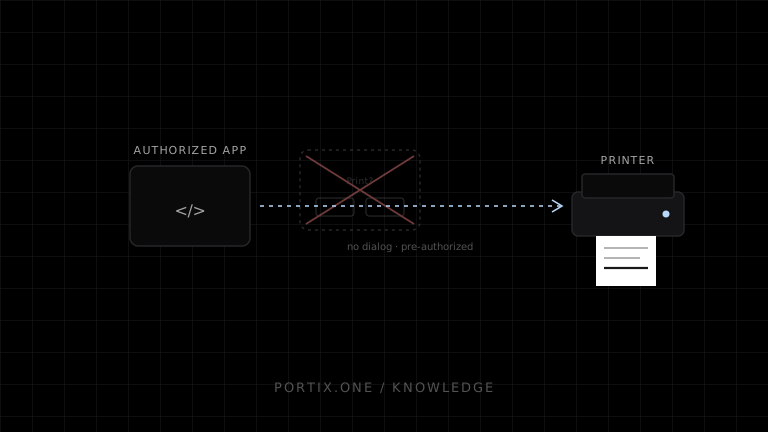
Normal public web pages cannot rely on window.print() for silent printing: the HTML printing model gives the user agent control and says it should offer the user an opportunity to obtain the document. Silent printing requires a trusted environment—such as managed kiosk policy, a local printing runtime, a native application, or a managed print service—with prior authorization, constrained printer mappings, job validation, duplicate protection, status, and revocation.
Silent printing submits a job to a predefined destination without showing an interactive print dialog for that job. It is common in high-volume POS, kitchen, warehouse, kiosk, and label workflows where repeated confirmation would interrupt operations.
Silent does not mean unapproved
The user or administrator should approve the capability during setup, even though no dialog appears for each later job.
Explicit enrollment and printer mapping
                 ↓
Authorized application submits job
                 ↓
Policy validates identity, role, format, and action
                 ↓
Job routes silently to approved destination
                 ↓
Status and recovery remain visible
Why browsers normally show a dialog
Unrestricted web printing could consume supplies, expose sensitive content, disrupt operations, or target local hardware. window.print() requests the browser-managed workflow; it does not accept a printer name or silent flag.
Kiosk browsers can have special deployment policies, but those are administrative capabilities rather than portable page behavior.
Implementation patterns
| Pattern | Best fit | Main obligation |
|---|---|---|
| Managed kiosk/browser policy | Fixed, locked-down terminal | Device administration and escape prevention |
| Local printing runtime | Web POS with local devices | Pairing, authorization, updates, queue semantics |
| Native desktop/mobile app | Deep platform integration | Distribution and platform-specific code |
| Managed print service | Multiple locations or remote routing | Connectivity, privacy, tenancy, operations |
| Server-to-network printer | Controlled server and device network | Network reachability and device protocol security |
Minimum safety controls
- Explicit enrollment and visible configured destination.
- Application, user/terminal, and origin authentication.
- Least-privilege logical printer roles.
- Allowed document formats and command capabilities.
- Stable job IDs and idempotency.
- Size, frequency, and batch limits.
- Separate authorization for cutter, drawer, or configuration actions.
- Status and an operator-visible pause or disable control.
- Audit metadata and revocable credentials.
- Secure runtime and policy updates.
Routing and failover
Map business roles rather than hard-coded device names. Failover only to a destination capable and authorized for that document. A kitchen ticket should not silently reroute to a customer receipt printer merely because it is online.
When the destination is unavailable, choose an explicit policy: queue, alert, reroute, offer manual browser printing, or stop the workflow. Do not discard jobs silently.
Duplicate risk
Silent systems remove a human confirmation point, so duplicate prevention is essential. Give every intended output an idempotency key. Distinguish automatic retry from authorized reprint and record unknown outcomes rather than guessing.
User experience
Silent printing should still provide feedback:
- Which document was submitted.
- Which logical destination received it.
- Current meaningful state.
- Clear error and recovery action.
- Reprint marker and authorization where required.
- Visible way to pause automation.
Common mistakes
- Claiming a hidden iframe makes
window.print()silent. - Trusting localhost without authentication.
- Routing by mutable printer display name alone.
- Retrying timeouts indefinitely.
- Opening a drawer on every reprint.
- Hiding failures because “silent” is interpreted as “no UI.”
- Enabling all origins or all printers after pairing.
Frequently asked questions
Can JavaScript disable the print dialog?
Not through the standard window.print() API. A controlled external policy or trusted integration is required.
Is kiosk printing always safe?
No. Safety depends on device lockdown, trusted content, policy scope, physical access, updates, and recovery controls.
Can silent printing work offline?
Yes when the local runtime or app has the necessary policy, document data, printer mapping, and device access offline.
Should every print job be silent?
No. Use it only where repeated confirmation adds no useful control. Sensitive, unusual, destructive, or ambiguous jobs may still require confirmation.
References
- HTML Standard — Printing — WHATWG, accessed Jul 19, 2026
- Window: print() — MDN, accessed Jul 19, 2026
Related content
concept
Browser Printing Security
Learn the trust boundaries, threats, privacy risks, and practical controls involved when a website prints through a browser or a local printing integration.
concept
What Is a Local Printing Runtime?
Learn how a local printing runtime securely connects web applications to printers for routing, raw commands, queues, status, retries, and silent printing.
concept
What Is Raw Printing?
Learn how raw printing sends printer-ready bytes such as ESC/POS, ZPL, PCL, or PostScript without normal document rendering.
concept
What Is WebSocket Printing?
Learn how a browser uses a persistent WebSocket connection to a trusted local or remote printing service for jobs, status, reconnects, and acknowledgments.