
concept · printing-infrastructure
USB Printing Explained
Quick answer
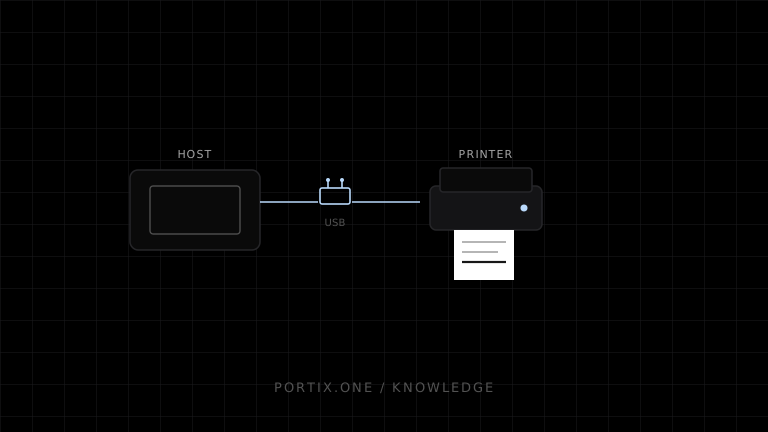
A USB printer enumerates when connected, exposes one or more interfaces and endpoints, and is claimed by an operating-system driver or authorized application path. The USB-IF printer class defines a required bulk OUT endpoint for print data and an optional bulk IN endpoint for returned information. Most applications print through an installed queue and driver. Raw or direct USB access requires exclusive-interface, permission, protocol, and device-compatibility handling.
USB printing connects a host computer to a nearby printer through the Universal Serial Bus. USB defines device discovery and data transport; the operating system, driver, printer language, and application still determine how a document becomes printable bytes.
Architecture
Application
   ↓
OS queue and driver or trusted raw runtime
   ↓
USB host controller and claimed interface
   ↓ bulk transfer
Printer firmware and print mechanism
USB does not define ESC/POS, ZPL, PCL, or document layout. It carries data for a supported printer protocol.
Device-class model
The USB-IF Printer Device Class 1.1 describes a printer data interface with:
- A required Bulk OUT endpoint for PDL or printer-control data.
- An optional Bulk IN endpoint for status or returned information.
- The normal USB control endpoint for enumeration and class requests.
Real devices can expose composite interfaces, vendor-specific behavior, or alternate configurations. Inspect and support the exact device.
Queue-based USB printing
The normal desktop path is:
- Connect and enumerate the printer.
- Platform matches a class or vendor driver.
- Administrator or user creates/configures a queue.
- Application submits a document or raw job.
- Spooler and driver send output through the USB path.
This provides platform permissions, queueing, sharing, and familiar diagnostics.
Direct USB printing
A trusted application can communicate through supported native APIs or, in some browsers, a permission-gated WebUSB path. Direct access may conflict with the operating-system driver because an interface is already claimed.
Direct implementations must handle:
- User/device authorization.
- Vendor/product/serial identity and reconnect.
- Interface and endpoint selection.
- Claim/release lifecycle.
- Transfer sizes, timeouts, stalls, and partial failure.
- Printer language and status parsing.
- Exclusive access and concurrent jobs.
Device identity and mapping
USB port paths can change after unplugging or moving a cable. Prefer stable device identifiers when available, but do not expose or trust serial numbers as authentication. Map approved physical devices to logical roles and provide a controlled rebind workflow.
Reliability
USB removes network dependence but not failures: cables, hubs, power, sleep, driver state, enumeration, paper, and firmware still matter. A successful transfer does not necessarily prove physical completion.
Common failures
| Symptom | Check |
|---|---|
| Device not found | Cable, power, enumeration, driver, permission |
| Access denied | Interface claimed, OS policy, app permission |
| Stops after sleep | Re-enumeration and stale handle |
| Garbled output | Wrong printer language or raw/driver mismatch |
| Intermittent disconnect | Cable, hub, power budget, hardware |
| Wrong printer after move | Unstable port-based mapping |
When USB is a good fit
Use USB for a fixed workstation with a nearby dedicated printer, predictable cabling, and limited sharing. Prefer network printing when multiple hosts, longer distance, centralized administration, or flexible placement justify the network complexity.
Frequently asked questions
Does USB mean driverless printing?
No. The host usually needs a class driver, vendor driver, or an application that implements the device protocol.
Can a website access a USB printer?
Not through window.print() as a raw device. Permission-gated browser APIs have support and policy constraints; a local runtime is common for controlled fleets.
Is USB faster than network printing?
For typical receipts, encoding, rendering, and the physical mechanism often matter more. Choose for reliability and deployment, not interface headline speed.
References
- USB Device Class Definition for Printing Devices 1.1 — USB-IF, accessed Jul 19, 2026
- Introduction to Printing — Microsoft Learn, accessed Jul 19, 2026
Related content
concept
What Is a Local Printing Runtime?
Learn how a local printing runtime securely connects web applications to printers for routing, raw commands, queues, status, retries, and silent printing.
concept
Network Printing Explained
Learn how clients, print servers, queues, DNS, IPP, raw TCP, drivers, security, status, and failover work in network printing.
concept
What Are Print Drivers?
Learn how print drivers expose printer capabilities, convert application output into device-ready data, and affect layout, compatibility, performance, and security.
concept
What Is Raw Printing?
Learn how raw printing sends printer-ready bytes such as ESC/POS, ZPL, PCL, or PostScript without normal document rendering.