
concept · web-technologies
WebSerial Explained
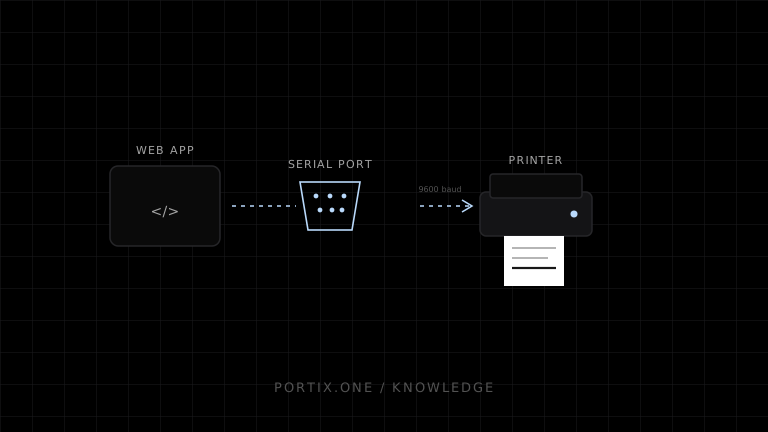
Quick answer
Web Serial lets a supported secure web application request a port, open it with settings such as baud rate, and read or write through streams. It can support legacy POS equipment and serial-compatible printers when line settings and command language are known. It does not render documents, automatically identify printer protocols, provide silent permission, or guarantee broad browser/mobile support.
Web Serial is a browser API for communicating with serial ports from JavaScript after a user grants access. It can reach physical serial interfaces and some USB or Bluetooth devices that present themselves as serial ports. It provides byte streams; the application must implement the device protocol.
Connection flow
User gesture → navigator.serial.requestPort(filters)
                         ↓
Open with baud rate and serial settings
                         ↓
ReadableStream / WritableStream
                         ↓
Device protocol bytes
const port = await navigator.serial.requestPort();
await port.open({ baudRate: 9600 });

const writer = port.writable.getWriter();
await writer.write(new Uint8Array([0x1b, 0x40]));
writer.releaseLock();
The baud rate and bytes are illustrative. Verify the target device’s complete serial configuration and protocol.
Serial settings
Communication can depend on baud rate, data bits, stop bits, parity, and flow control. Both ends must agree. A connection that opens with incorrect settings can still produce corrupted data rather than a clear error.
USB-to-serial adapters add driver, chipset, cable, and device-path variables. Record supported adapters and test reconnect behavior.
Streams and framing
Serial is a byte stream. Application writes and reads do not define message boundaries. The protocol must use lengths, delimiters, checksums, timing, or state to frame messages.
For printing, do not run binary commands through a text decoder. Use byte-safe writers and a separate encoding step for printer text.
Permissions and support
The API is a powerful feature and requires explicit selection in a secure context. Previously granted ports can be listed in supported implementations, but access remains scoped by browser policy and device presence.
Support is not universal, especially on mobile platforms. Provide a local runtime, native app, platform queue, or manual print fallback where required.
Printing considerations
- Confirm that the printer actually exposes a serial protocol.
- Match line settings exactly.
- Send a verified language such as supported ESC/POS.
- Define buffering, pacing, status, and timeout behavior.
- Prevent concurrent writers.
- Use idempotency for reconnect and unknown outcomes.
- Separate drawer or other hardware commands from ordinary print authorization.
Common failures
| Symptom | Check |
|---|---|
| Port not shown | Browser support, OS driver, chooser filters, permissions |
| Opens but prints garbage | Baud/parity/data bits or printer encoding/language |
| Partial output | Flow control, buffer, disconnect, writer lifecycle |
| Port busy | Another application owns it |
| Wrong device after reconnect | Unstable adapter/device mapping |
| UI freezes | Incorrect stream handling or unbounded read loop |
Frequently asked questions
Is Web Serial the same as WebUSB?
No. Web Serial exposes serial-port semantics. Some USB serial devices can appear through it, while WebUSB exposes USB interfaces and endpoints.
Can it print silently?
After user-granted access, an authorized page may write without a print dialog, but browser permission, page lifecycle, security, and device availability still apply.
Does every USB receipt printer expose a serial port?
No. Connection mode and interface vary by model and configuration.
Can I use UTF-8 strings directly?
Only if the device protocol expects UTF-8. Many receipt printers require a selected code page.
References
- Web Serial API — MDN, accessed Jul 19, 2026
- Read from and Write to a Serial Port — Chrome for Developers, accessed Jul 19, 2026
Related content
concept
Bluetooth Printing Explained
Learn how Bluetooth Classic and Bluetooth Low Energy printing depend on profiles, pairing, permissions, framing, reconnects, and printer-language compatibility.
concept
ESC/POS Character Encoding
Learn why ESC/POS text prints as incorrect symbols and how code pages, international sets, Unicode, byte encoding, fonts, and rasterization affect multilingual receipts.
concept
What Is Raw Printing?
Learn how raw printing sends printer-ready bytes such as ESC/POS, ZPL, PCL, or PostScript without normal document rendering.
concept
USB Printing Explained
Learn how USB printers connect through device classes, endpoints, operating-system queues, drivers, raw protocols, permissions, and stable device mapping.
concept
WebUSB Explained
Learn how WebUSB lets an authorized website communicate with compatible USB devices, including selection, interfaces, endpoints, permissions, security, and printing constraints.