
concept · printing-infrastructure
What Is WebSocket Printing?
Quick answer
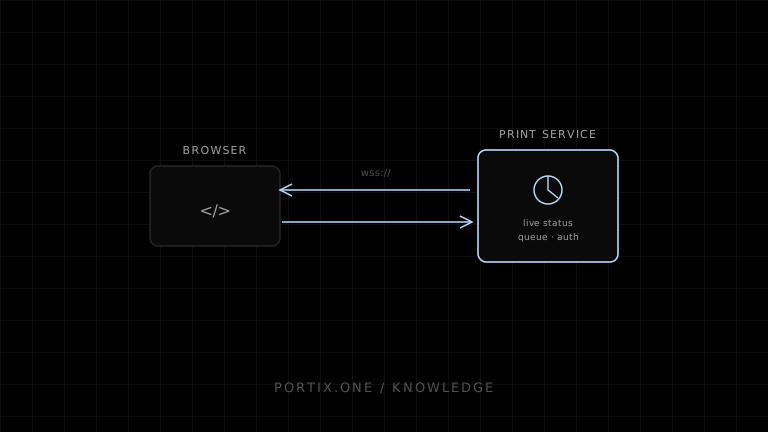
A web application can open a WebSocket to a trusted print runtime, send authenticated job messages, and receive acknowledgments or status updates over the same connection. This supports low-latency routing and live state better than repeated requests. A production design still needs wss where appropriate, pairing, origin checks, message authentication, schema validation, idempotency, limits, reconnect logic, heartbeat, and a clear distinction between connection, queue, and printer state.
WebSocket printing uses a persistent, bidirectional connection between a web application and a printing service. The service may run on the local workstation, a site gateway, or a remote server. WebSocket is the communication channel; it does not itself discover printers, encode documents, authorize jobs, or guarantee output.
Architecture
Browser application
  ↕ WebSocket messages
Trusted printing service
  ├─ session authentication
  ├─ schema and authorization
  ├─ queue and printer mapping
  └─ status translation
        ↓
Spooler / driver / raw transport
        ↓
Printer
Why WebSocket
- Persistent connection reduces repeated setup.
- Server can push job and device state.
- Binary frames can carry encoded print data.
- Heartbeats can detect some broken sessions.
- One protocol can coordinate submission, cancellation, and status.
These benefits do not make it the only correct transport. HTTP with callbacks or polling can be simpler when status is infrequent.
A conceptual protocol
{
  "type": "print.submit",
  "requestId": "req-91",
  "jobId": "sale-8472-receipt-v1",
  "printerRole": "customer-receipt",
  "format": "escpos",
  "payloadRef": "signed-or-local-reference"
}
Responses should separate request acknowledgment from job state:
{
  "type": "print.status",
  "requestId": "req-91",
  "jobId": "sale-8472-receipt-v1",
  "state": "queued"
}
Version the protocol and reject unknown required fields or unsupported formats safely.
Security
MDN recommends secure WebSockets (wss) for real applications served over HTTPS and warns against mixed-content use. For a local runtime, transport rules and browser local-network protections evolve, so verify current supported browsers.
Regardless of URL:
- Validate the
Originheader and paired application identity. - Authenticate every session; do not trust loopback alone.
- Authorize printer role, format, and hardware actions.
- Protect against cross-site WebSocket hijacking.
- Bound frame, message, queue, and decompressed sizes.
- Rate-limit submission and reconnects.
- Expire and revoke pairing credentials.
- Avoid putting secrets in URL query strings.
Connection is not readiness
Track separate states:
| State | Question answered |
|---|---|
| Socket open | Can browser and service exchange frames? |
| Runtime ready | Is the service initialized and authorized? |
| Printer mapped | Does the logical role resolve? |
| Queue available | Can it accept the job? |
| Device ready | Is supported live status healthy? |
| Job terminal | What did the lower layer report? |
Reconnect and replay
WebSocket connections drop during sleep, network change, runtime restart, or deployment. On reconnect:
- Reauthenticate and negotiate protocol version.
- Resume or query by stable job IDs.
- Never assume an unacknowledged job was not received.
- Do not automatically resend without idempotency.
- Reconcile runtime state before showing success or failure.
Backpressure
The classic browser WebSocket API does not provide application-level print-queue semantics. Bound pending jobs and bytes, monitor client buffering, acknowledge deliberately, and reject overload instead of accepting unlimited work into memory.
Common failures
| Symptom | Check |
|---|---|
| Connection blocked | ws/wss, certificate, mixed content, local-network policy |
| Opens then closes | Authentication, origin, protocol version, heartbeat |
| Duplicate prints after reconnect | Missing idempotency and replay logic |
| UI says connected but nothing prints | Queue/printer state conflated with socket state |
| Large jobs freeze service | Missing size limits or backpressure |
Frequently asked questions
Does WebSocket print directly to USB?
No. A service behind the WebSocket must communicate with the operating system or device.
Should localhost use ws or wss?
Browser and deployment behavior varies. Use a design compatible with current secure-context and local-network requirements, and authenticate regardless of transport locality.
Is WebSocket faster than HTTP?
It can reduce connection overhead and improve push status. Physical printing and rendering usually dominate job latency.
Does a closed socket mean the job failed?
No. The job may have been accepted before disconnection. Reconcile by stable job ID.
References
- Writing WebSocket Client Applications — MDN, accessed Jul 19, 2026
- WebSocket API — MDN, accessed Jul 19, 2026
- Local Network Access — MDN, accessed Jul 19, 2026
Related content
concept
What Is a Local Printing Runtime?
Learn how a local printing runtime securely connects web applications to printers for routing, raw commands, queues, status, retries, and silent printing.
concept
What Is a Print Queue?
Learn how print queues organize jobs, destinations, states, priorities, retries, and operator actions—and how a queue differs from a spooler.
concept
What Is Silent Printing?
Learn what silent printing means, why normal browsers require confirmation, and how trusted kiosks, local runtimes, native apps, and managed services enable it safely.