
concept · web-technologies
WebUSB Explained
Quick answer
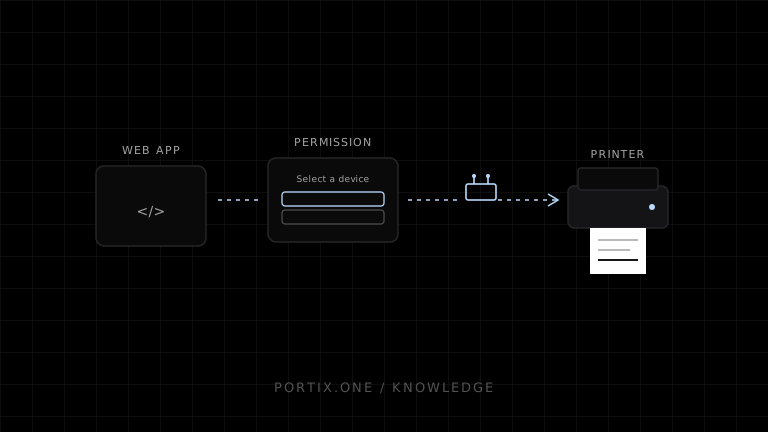
WebUSB can connect a supported browser page to a USB device selected by the user. The page filters candidates, requests permission, opens the device, selects a configuration, claims an interface, and performs control or bulk transfers. Printing is possible only when the application understands the exact USB interface and printer protocol, and when the operating system has not exclusively claimed it. Browser/platform support is limited, so production systems need a tested support matrix and fallback.
WebUSB is a browser API that lets a website communicate with compatible USB devices after an explicit user permission flow. It exposes USB configurations, interfaces, endpoints, and transfers to JavaScript. It is a hardware communication API, not a generic printer-selection or document-printing API.
Connection flow
Secure web application
       ↓ user gesture and chooser
navigator.usb.requestDevice(filters)
       ↓ granted USBDevice
open → select configuration → claim interface
       ↓
transferOut / transferIn / controlTransfer
       ↓
Compatible device protocol
Minimal discovery example
const device = await navigator.usb.requestDevice({
  filters: [{ vendorId: 0x1234, productId: 0x5678 }]
});

await device.open();
if (!device.configuration) await device.selectConfiguration(1);
await device.claimInterface(0);
The identifiers and interface number are placeholders. Production code must use documented device descriptors and verify the selected device.
WebUSB and printers
The USB printer class defines common endpoint structure, but WebUSB access can be unavailable when the operating-system driver owns the interface. Many printers also require a specific language such as ESC/POS, ZPL, PCL, or vendor commands.
WebUSB does not:
- Render HTML into printer-ready data.
- Make every USB printer compatible.
- Bypass browser permission.
- Guarantee access to an OS-claimed interface.
- Supply queueing, retries, status semantics, or idempotency.
Permissions and security
- Require a secure context and a user-initiated selection.
- Filter narrowly by verified identifiers.
- Show device purpose before requesting access.
- Treat remembered permission as scoped authority, not user identity.
- Validate every command and bound all transfers.
- Do not expose arbitrary raw device access to untrusted content.
- Close and release resources during disconnect or application teardown.
Interface claiming
A USB device can expose multiple interfaces. Claim only the required interface. If a platform driver already owns it, the browser may be unable to claim it. Replacing or detaching drivers can affect system-wide printing and should not be an automatic web-app action.
Transfer reliability
Handle stalls, short transfers, disconnects, device reset, sleep, and re-enumeration. If a disconnect occurs during printing, output may be partial and retry outcome ambiguous. Stable job IDs and an application-level recovery policy remain necessary.
When to use WebUSB
Use it for controlled compatible devices where browser support, user permission, descriptors, protocol, and interface ownership are all validated. Prefer a local runtime or platform queue for broader printer fleets, background operation, centralized policy, or browsers without WebUSB.
Frequently asked questions
Is WebUSB supported in every browser?
No. Check current compatibility for every required browser and operating system.
Can WebUSB silently reconnect?
A site can access previously granted devices through supported APIs, but device opening, OS state, and browser policy still apply. Initial access requires user permission.
Is WebUSB the same as USB printing?
No. USB printing is the broader platform/device path. WebUSB is one permission-gated browser API for USB communication.
Can it send ESC/POS?
Only when the printer exposes an accessible interface that accepts those bytes and the application implements the protocol correctly.
References
- WebUSB API — MDN, accessed Jul 19, 2026
- Access USB Devices on the Web — Chrome for Developers, accessed Jul 19, 2026
- USB Printer Device Class 1.1 — USB-IF, accessed Jul 19, 2026
Related content
concept
What Is a Local Printing Runtime?
Learn how a local printing runtime securely connects web applications to printers for routing, raw commands, queues, status, retries, and silent printing.
concept
What Is Raw Printing?
Learn how raw printing sends printer-ready bytes such as ESC/POS, ZPL, PCL, or PostScript without normal document rendering.
concept
USB Printing Explained
Learn how USB printers connect through device classes, endpoints, operating-system queues, drivers, raw protocols, permissions, and stable device mapping.
concept
WebHID Explained
Learn how WebHID gives authorized websites access to HID reports, collections, usages, permissions, and device-specific input/output—including why it is rarely a generic printing API.
concept
WebSerial Explained
Learn how Web Serial lets authorized websites read and write serial ports, configure line settings, stream bytes, and communicate with compatible printers.