
concept · esc-pos
What Is ESC/POS?
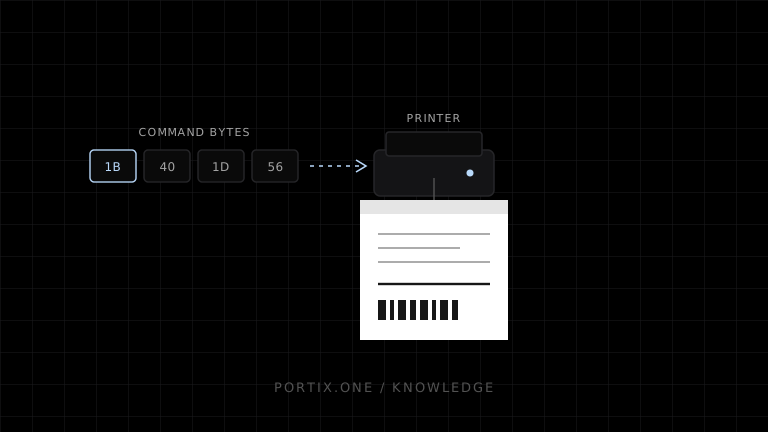
Quick answer
ESC/POS is a byte-oriented command language used by many receipt printers and related POS devices. Printable bytes produce text, while control sequences beginning with values such as ESC (0x1B) or GS (0x1D) change printer state or request an action. It can produce efficient, device-native receipts, but support varies by manufacturer and model. Always program against the exact device command reference and test real hardware.
ESC/POS is a printer command system created by Epson for controlling point-of-sale equipment. Instead of describing a document as a desktop page, an application sends a sequence of bytes that represents text, formatting, paper movement, barcodes, images, cuts, status requests, and supported peripheral actions.
What the name means
ESC refers to the ASCII escape control byte used to introduce many commands. POS means point of sale. Not every command begins with ESC; command families also use control bytes such as GS, FS, DLE, and others.
For example, Epson documents ESC @ as the initialize-printer command:
ASCII:   ESC  @
Hex:     1B   40
Decimal: 27   64
The bytes, not the visible characters “ESC @”, are sent to the device.
How ESC/POS printing works
Transaction data
       ↓
Receipt template and printer profile
       ↓
Encoder creates bytes: text + commands + binary data
       ↓
Transport writes bytes to supported printer endpoint
       ↓
Printer interpreter updates state and prints
Commands are stateful. A sequence may select alignment, emphasize text, choose a code page, print content, feed paper, and cut. Settings can persist until another command, initialization, reset, or power cycle, depending on the command and model.
A minimal conceptual receipt
const ESC = 0x1b;
const GS = 0x1d;

const bytes = new Uint8Array([
  ESC, 0x40,                         // Initialize
  ...new TextEncoder().encode("SALE\n"),
  ...new TextEncoder().encode("Total: $12.50\n\n"),
  GS, 0x56, 0x00                    // Cut on compatible models
]);
This is intentionally illustrative, not a universal production example. TextEncoder produces UTF-8, while many printers expect a selected legacy code page for ordinary text. The cut command and parameters also vary by supported model. A real implementation must encode text and commands from a verified printer profile.
What ESC/POS can control
Depending on the printer, commands may cover:
- Text fonts, size, emphasis, underline, and alignment.
- Print position and line spacing.
- Character tables and international character sets.
- Raster or stored graphics.
- One-dimensional barcodes and two-dimensional symbols.
- Paper feed and cutting.
- Printer and paper status.
- Buzzers, drawers, or other supported peripherals.
- Page mode, label positioning, or model-specific functions.
The existence of a command in one reference does not prove that another printer supports it.
ESC/POS is not one universal compatibility guarantee
Epson maintains an ESC/POS reference with per-model command support and notes that customized models can have different commands, parameter ranges, or defaults. Other vendors may implement compatible subsets, extensions, or different behavior.
Treat “ESC/POS compatible” as the start of compatibility testing. Record:
- Exact manufacturer, model, firmware, and interface.
- Supported command and parameter subset.
- Printable width and resolution.
- Code pages and multilingual behavior.
- Image, QR, barcode, cutter, and status capabilities.
- Required delays, buffer limits, and transport behavior.
ESC/POS vs driver printing
| Concern | ESC/POS commands | Driver-rendered printing |
|---|---|---|
| Input | Device command bytes | Document or graphics API |
| Layout | Application controls printer-oriented layout | Driver/browser renders pages |
| Device actions | Available when command is supported | Depends on driver integration |
| Portability | Requires printer profile | Depends on installed driver and page model |
| Receipt efficiency | Often strong | Can add rasterization and margins |
| Fonts and Unicode | Device-dependent | Platform renderer usually handles more scripts |
Use ESC/POS when a known receipt-printer fleet needs efficient, predictable device features. Use driver or browser rendering when document layout, broad typography, PDF, or user-mediated printing is more important.
How web applications use ESC/POS
window.print() does not send raw ESC/POS bytes. A web POS commonly uses a trusted local runtime, native application, vendor SDK, managed print service, or controlled device API. That component authenticates the caller, maps logical printer roles to devices, validates jobs, and writes through a supported transport.
Raw printing expands authority. Apply origin checks, authentication, per-printer authorization, size and rate limits, safe command policies, idempotency, audit metadata, and revocable pairing.
Common mistakes
- Sending command names as text instead of their byte values.
- Encoding all text as UTF-8 without verifying printer support.
- Assuming clone devices support every Epson command.
- Concatenating binary data through Unicode strings.
- Cutting before buffered content has printed.
- Treating successful byte transmission as physical completion.
- Reusing state without initialization or explicit formatting.
Frequently asked questions
Is ESC/POS a file format?
It is primarily a command protocol represented as a byte stream. Applications may save that stream in a file, but its meaning depends on a compatible device.
Does every thermal printer support ESC/POS?
No. Thermal describes the marking technology; the printer may use ESC/POS, ZPL, another language, a driver-only path, or a vendor protocol.
Does ESC/POS support Unicode?
Do not assume general Unicode support. Traditional text commands commonly use selected code pages; model-specific commands or rasterized text may offer alternatives.
Can ESC/POS open a cash drawer?
Compatible printers can expose pulse commands for supported drawer ports. Authorization, wiring, pulse parameters, and model support must be verified.
References
- ESC/POS Command Reference — Introduction — Epson, accessed Jul 19, 2026
- ESC/POS Commands in Code Order — Epson, accessed Jul 19, 2026
- ESC @ — Initialize printer — Epson, accessed Jul 19, 2026
Related content
concept
ESC/POS Barcodes
Learn how ESC/POS printers generate one-dimensional barcodes, including symbology, data validation, module width, height, HRI text, quiet zones, and verification.
concept
ESC/POS Character Encoding
Learn why ESC/POS text prints as incorrect symbols and how code pages, international sets, Unicode, byte encoding, fonts, and rasterization affect multilingual receipts.
concept
ESC/POS Commands Explained
Understand ESC/POS command bytes, parameters, printer state, buffers, command families, status, cutting, and safe command construction.
concept
ESC/POS Images
Learn how to convert logos and graphics into monochrome ESC/POS raster data, including sizing, thresholding, packing, chunking, and compatibility.
concept
ESC/POS QR Codes
Learn how ESC/POS printers configure, store, and print QR Codes, and how to choose module size, error correction, payload, quiet zones, and verification.