
concept · web-technologies
window.print(): How Browser Printing Starts
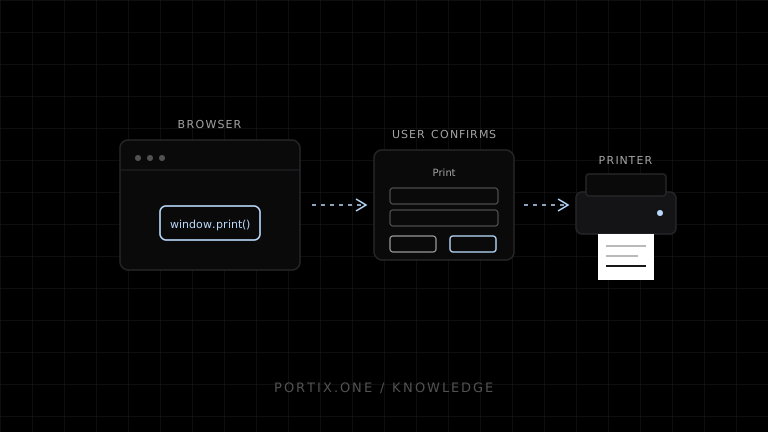
Quick answer
Calling window.print() asks the browser to offer the user a printable form of the current document, such as paper output or PDF. The method takes no parameters and returns undefined. It does not accept a printer name, raw bytes, or a silent option. Developers control document presentation with print CSS and can react to beforeprint and afterprint, but the browser and user retain control of destination and final settings.
window.print() is the standard JavaScript method for requesting the browser’s print workflow for the current document. It connects a page button or application action to browser-managed print preview, destination selection, and user confirmation.
Basic usage
<button id="print-button" type="button">Print receipt</button>

<script>
  document.querySelector("#print-button").addEventListener("click", () => {
    window.print();
  });
</script>
Start printing from a clear user action. Disable accidental double activation while the application is preparing the printable state.
What the standard specifies
The HTML Standard says window.print():
- Does nothing when the associated document is not fully active.
- Defers printing until post-load readiness when necessary.
- Runs the browser’s printing steps.
- Can be blocked when the document has the sandboxed-modals flag.
- Fires
beforeprintbefore offering the printable form. - Gives the user agent responsibility for offering the output opportunity.
- Fires
afterprintwhen the browser-side workflow ends.
Browser UI, preview implementation, and platform integration can differ.
Print CSS
Use CSS rather than large DOM rewrites whenever possible:
@media print {
  .navigation,
  .print-button {
    display: none;
  }

  .receipt {
    width: 72mm;
    color: #000;
    background: #fff;
  }
}

@page {
  margin: 6mm;
}
CSS expresses layout preferences. User settings, browser support, printer capabilities, paper, and printable area still affect output.
beforeprint and afterprint
window.addEventListener("beforeprint", () => {
  document.body.dataset.printing = "true";
});

window.addEventListener("afterprint", () => {
  delete document.body.dataset.printing;
});
Use these events for lifecycle adjustments that print CSS cannot express. afterprint does not confirm that a physical printer produced paper; it only indicates the browser print interaction concluded.
What window.print() cannot do
- Select an installed printer through an argument.
- Suppress confirmation in an ordinary public page.
- Return a portable job ID or queue status.
- Send ESC/POS, ZPL, or other raw device commands.
- Trigger a receipt cutter or cash drawer reliably.
- Confirm physical delivery.
Those requirements need a managed kiosk, local runtime, native application, Electron shell, extension/native host, or print service.
Preparing asynchronous content
window.print() is not an async data-loading API. Load required transaction data, fonts, and images before calling it. Create a stable document snapshot so the printed content does not change during preview.
async function printReceipt(orderId) {
  const receipt = await buildReceipt(orderId);
  await document.fonts.ready;
  renderReceipt(receipt);
  window.print();
}
The example prepares content first; exact image and framework readiness needs application-specific handling.
Iframes and print views
A dedicated same-origin print view can isolate layout, but sandbox flags, loading, focus, cleanup, and browser differences require testing. A hidden iframe does not make printing silent.
Common mistakes
- Calling print before fonts or images are ready.
- Using screen layout without
@media print. - Expecting the method to return success.
- Treating
afterprintas delivery confirmation. - Triggering it automatically on page load.
- Assuming CSS page size overrides every user/device choice.
Frequently asked questions
Is print() the same as window.print()?
In a normal window context, print() resolves to the window method. window.print() is clearer in documentation and shared code.
Does it block JavaScript?
MDN documents the method as blocking while the print dialog is open, but application behavior should still be tested across supported browsers.
Can it print a specific element?
It prints the document. Use print CSS or a dedicated print document to include only the intended content.
Can it save a PDF?
Yes when the browser or operating system offers a PDF destination.
References
- HTML Standard — Printing — WHATWG, accessed Jul 19, 2026
- Window.print() — MDN, accessed Jul 19, 2026
- Printing — CSS — MDN, accessed Jul 19, 2026
Related content
concept
Electron Printing Explained
Learn how Electron applications enumerate printers, print webContents silently or interactively, create PDFs, isolate renderer privileges, and handle job results.
concept
How Browser Printing Works
Follow a browser print job from window.print() and print CSS through preview, the operating-system spooler, printer driver, and physical device.
concept
Localhost Printing Explained
Learn how a web application connects to a local printing service over loopback using HTTP or WebSocket, including pairing, origins, TLS, permissions, status, and recovery.
concept
What Is Silent Printing?
Learn what silent printing means, why normal browsers require confirmation, and how trusted kiosks, local runtimes, native apps, and managed services enable it safely.
concept
What Is Browser Printing?
Learn how browser printing turns a web page into paper or PDF, what developers can control with JavaScript and CSS, and where browser-based printing falls short.