
example · esc-pos
QR Receipt Example
Quick answer
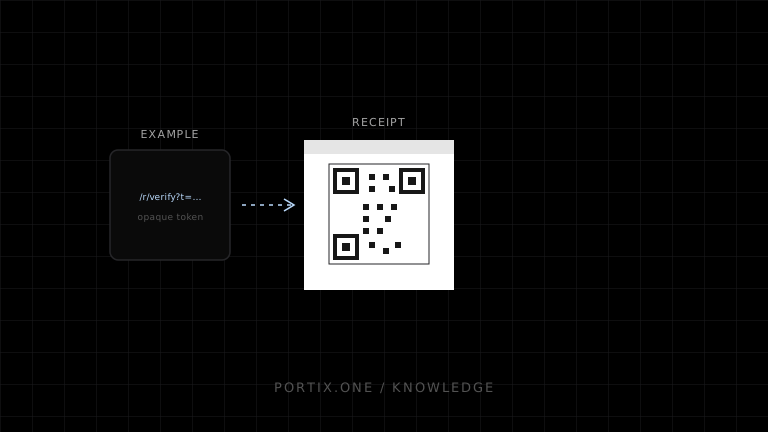
Encode a short HTTPS URL containing an opaque receipt token, not personal or payment data. Generate the URL on the server, render it natively or as a tested monochrome image, preserve the quiet zone, and scan the physical receipt.
Quick answer
Encode a short HTTPS URL containing an opaque receipt token, not personal or payment data. Generate the URL on the server, render it natively or as a tested monochrome image, preserve the quiet zone, and scan the physical receipt.
function receiptQr(baseUrl: URL, publicToken: string) {
  const url = new URL("/r/verify", baseUrl);
  url.searchParams.set("t", publicToken);
  if (url.protocol !== "https:") throw new Error("HTTPS required");
  return url.toString();
}
type QrReceiptBlock = {
  value: string;
  label: "View or verify this receipt";
  errorCorrection: "M";
};
Keep tokens random, revocable where appropriate, and limited to the minimum receipt view. Avoid placing customer names, email addresses, card data, session tokens, or internal numeric IDs directly in the QR code.
For ESC/POS, select a supported QR model, module size, correction level, store data with correct byte length, then print. For an image path, avoid scaling after rasterization. Portix QR payload support isn’t documented yet.
Verify
- Code scans on production paper at expected distance.
- Token reveals only authorized information.
- Expired/revoked behavior is intentional.
- Printed human-readable instructions are clear.
Related content
concept
ESC/POS QR Codes
Learn how ESC/POS printers configure, store, and print QR Codes, and how to choose module size, error correction, payload, quiet zones, and verification.
example
Barcode Receipt Example
Print a receipt lookup barcode with validated data, appropriate symbology, human-readable fallback, quiet zones, and scan verification.
troubleshooting
QR Code Not Printing
Troubleshoot missing or unreadable QR codes across ESC/POS support, command sequence, data length, image rendering, size, and media quality.