
guide · applications
How to Build a Restaurant POS
Quick answer
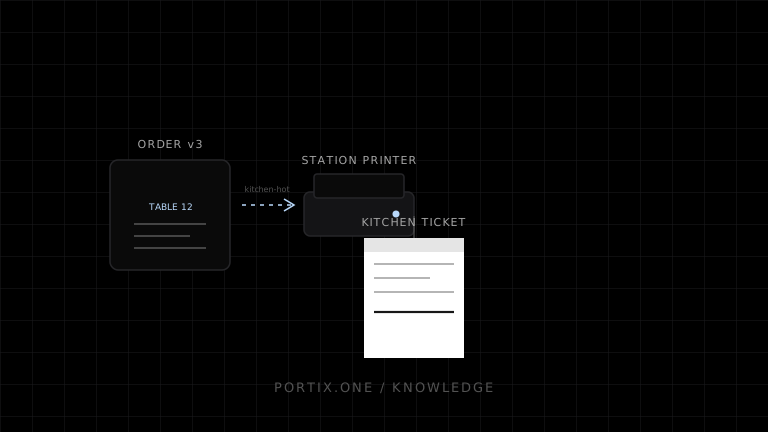
Build the system around an immutable order snapshot and explicit station routing. Save the order first, create kitchen or bar tickets from that version, submit each print job with a unique idempotency key, and record its outcome. Print the guest receipt only after the payment result is known. Queue jobs locally when connectivity is unavailable and make reprints visibly identifiable.
A reliable restaurant POS treats the order, payment, and print job as related but separate records. That separation keeps a temporary printer failure from losing an order or charging a guest twice.
Recommended flow
- Open a table, tab, or takeaway order.
- Add items, modifiers, notes, tax, discounts, and service charges.
- Commit a numbered order version.
- Route only new or changed production items to the correct station.
- Authorize or record payment without depending on print success.
- Generate a guest receipt from the finalized snapshot.
- Audit every initial print, retry, void, and reprint.
Never rebuild an old ticket from mutable menu data. Store the item name, price, tax treatment, modifiers, and routing decision used at the time of sale.
Model jobs explicitly
type RestaurantPrintJob = {
  id: string;
  orderId: string;
  orderVersion: number;
  kind: "kitchen" | "bar" | "guest-receipt";
  stationId: string;
  payload: Readonly<unknown>;
  createdAt: string;
};
Derive an idempotency key such as orderId:orderVersion:kind:stationId. A retry can then reuse the same logical job instead of producing an accidental duplicate.
Design each output for its reader
- Kitchen tickets emphasize quantity, item, modifiers, course, table, server, and elapsed time.
- Bar tickets prioritize drink modifiers and pickup identity.
- Guest receipts include merchant identity, totals, tax, payment summary, and legally required fields.
Do not put payment-card secrets, authentication tokens, or unnecessary personal data on any ticket.
Offline and failure behavior
Show separate states for order saved, payment recorded, queued, sent, and printer error. If a station printer is unavailable, keep the job pending, allow an authorized reroute, and retain both the original destination and the operator action. A print acknowledgment means software accepted a job; it does not prove paper emerged.
Portix integration boundary
Use a local printing runtime when the browser must route silently to named printers, send raw printer commands, or observe job-level errors. The exact Portix discovery, submission, status, and authentication calls aren’t documented yet.
Launch checklist
- Item changes produce versioned delta tickets.
- Payment and printing can fail independently.
- Duplicate submission is safe.
- Offline jobs survive an app restart.
- Reprints include reason, operator, and timestamp.
- Kitchen, bar, and guest layouts pass device tests.
Related content
concept
POS Printing Basics
Learn the essential components of point-of-sale printing, from receipt data and rendering to printer routing, ESC/POS commands, queues, cutters, drawers, and recovery.
concept
What Is a Print Queue?
Learn how print queues organize jobs, destinations, states, priorities, retries, and operator actions—and how a queue differs from a spooler.
concept
What Is ESC/POS?
Learn what ESC/POS is, how byte commands control compatible receipt printers, and when to use it instead of driver or browser-rendered printing.
guide
How to Build a Retail POS
Plan a retail POS with durable transactions, barcode input, receipt printing, returns, cash-drawer controls, and offline recovery.