
guide · applications
How to Build a Retail POS
Quick answer
Use a server-authoritative sale with a local operational queue. Resolve scanned codes to products, snapshot prices and tax, finalize payment, then create a receipt job from the completed sale. Give every sale and print job a stable identifier, make retries idempotent, and require authorization plus a reason for returns, voids, discounts, and reprints.
A retail POS must preserve the commercial transaction even when a scanner, receipt printer, cash drawer, payment service, or network connection fails.
Core architecture
Separate these responsibilities:
- Catalog and pricing: products, identifiers, promotions, tax, and effective dates.
- Transaction service: line snapshots, totals, tenders, returns, and audit events.
- Device layer: scanners, customer displays, printers, and cash drawers.
- Print pipeline: templates, printer routing, queueing, retry policy, and status.
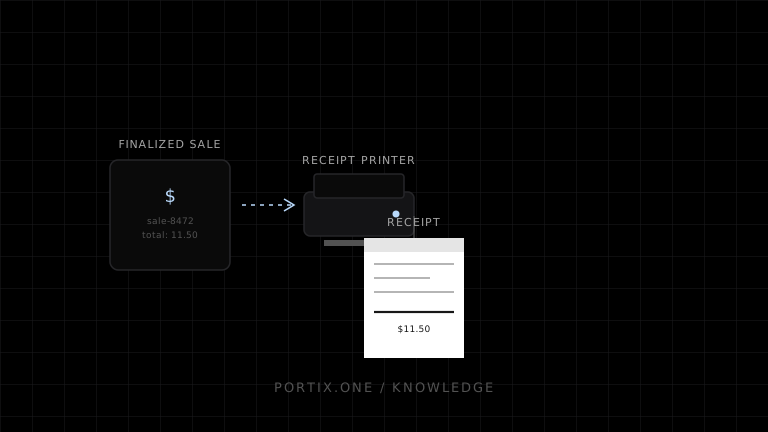
The receipt should be generated from the finalized sale snapshot, not from the current cart or a later catalog lookup.
Transaction sequence
- Scan or search for an item.
- Resolve the identifier and validate quantity or restrictions.
- Calculate totals using explicit currency rounding rules.
- Commit the sale and tender result atomically where possible.
- Create a receipt job with
saleId,receiptVersion, andprinterId. - Submit it once and retry safely with the same key.
- Record the operator, terminal, result, and any reprint reason.
const printKey = `${sale.id}:receipt:${sale.receiptVersion}`;
Receipts, labels, and drawers
Receipts and shelf or product labels have different media, layouts, and validation needs; route them through distinct templates and printer profiles. Treat a cash-drawer pulse as a privileged device command. Allow it only for approved events, such as a cash sale or audited no-sale action.
Offline operation
Define which transactions are permitted offline. Store encrypted minimum-required data, preserve ordering with locally unique IDs, and surface sync conflicts instead of silently overwriting records. Printing can continue from committed local snapshots, but payment rules must follow the payment provider and business risk policy.
Portix integration boundary
A local runtime can isolate browser code from device-specific transport and support named-printer routing. Portix printer discovery, raw printing, drawer commands, job status, and security controls remain undocumented for now.
Launch checklist
- Totals use tested tax and rounding rules.
- Scans cannot add the same event twice accidentally.
- Receipt retries are idempotent.
- Returns reference the original sale.
- Drawer actions and reprints are audited.
- Offline recovery and printer replacement are rehearsed.
Related content
concept
ESC/POS Barcodes
Learn how ESC/POS printers generate one-dimensional barcodes, including symbology, data validation, module width, height, HRI text, quiet zones, and verification.
concept
POS Printing Basics
Learn the essential components of point-of-sale printing, from receipt data and rendering to printer routing, ESC/POS commands, queues, cutters, drawers, and recovery.
concept
What Is Silent Printing?
Learn what silent printing means, why normal browsers require confirmation, and how trusted kiosks, local runtimes, native apps, and managed services enable it safely.
guide
How to Build a Restaurant POS
Design a restaurant POS that coordinates orders, kitchen tickets, payments, receipts, retries, and offline operation without duplicating prints.