
guide · applications
How to Build a Warehouse App
Quick answer
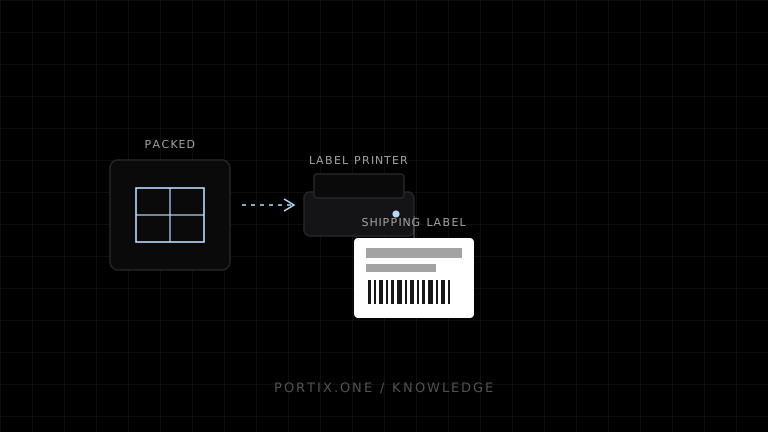
Model receiving, putaway, replenishment, picking, packing, and shipping as explicit state machines. Require scans for item and location confirmation, preserve locally queued events during connectivity loss, and print labels through a job service with stable IDs and printer profiles. Never infer physical completion from print success alone.
A warehouse app should guide each physical action, validate its scan, and record an auditable event before advancing the task.
Workflow states
A typical outbound path is:
released → allocated → picking → picked → packing → packed → labeled → dispatched
Define who can enter each state, the required evidence, and how exceptions return to a safe state. Keep the shipment record, carrier-label purchase, print job, and dispatch scan separate; each may succeed or fail independently.
Scan-driven UI
Optimize screens for one task and one next action. Normalize scanner input, but preserve the original value for audit. Validate location, SKU, lot, serial, and quantity on the server. Use a client-generated event ID so reconnecting or double-entering a scan does not repeat the movement.
Printing architecture
Create an immutable label artifact, then route it using a printer profile that records media size, resolution, command language, and destination. Record at least:
- job and shipment identifiers;
- artifact checksum and template version;
- selected printer and operator;
- submission attempts and runtime response;
- void or reprint reason.
Carrier labels may arrive as PDF, raster, or printer-language data. Preserve the original format when the target device supports it; avoid conversions that change dimensions or barcode quality.
Offline operations
Cache only assigned work and minimum product/location data. Encrypt sensitive local data, expire assignments, and provide an obvious offline indicator. Reconcile queued events in order while allowing the server to reject stale allocations. A supervisor needs a controlled exception path rather than a hidden overwrite.
Portix integration boundary
Printer discovery, supported payload formats, routing, job status, retry semantics, and runtime deployment aren’t documented yet. Keep the warehouse domain behind an adapter so those details do not leak into workflow logic.
Launch checklist
- Every state transition has validation and audit data.
- Duplicate and out-of-order scans are tested.
- Label dimensions and barcode grades pass on real media.
- Reprints do not repurchase or duplicate shipments.
- Offline queues survive restart and reconcile safely.
- Printer fallback is explicit and authorized.
Related content
concept
Network Printing Explained
Learn how clients, print servers, queues, DNS, IPP, raw TCP, drivers, security, status, and failover work in network printing.
concept
What Is a Print Queue?
Learn how print queues organize jobs, destinations, states, priorities, retries, and operator actions—and how a queue differs from a spooler.
guide
How to Build an Inventory System
Build an inventory system with a movement ledger, barcode workflows, label printing, reconciliation, and reliable device integration.