
guide · javascript
How to Print from JavaScript
Quick answer
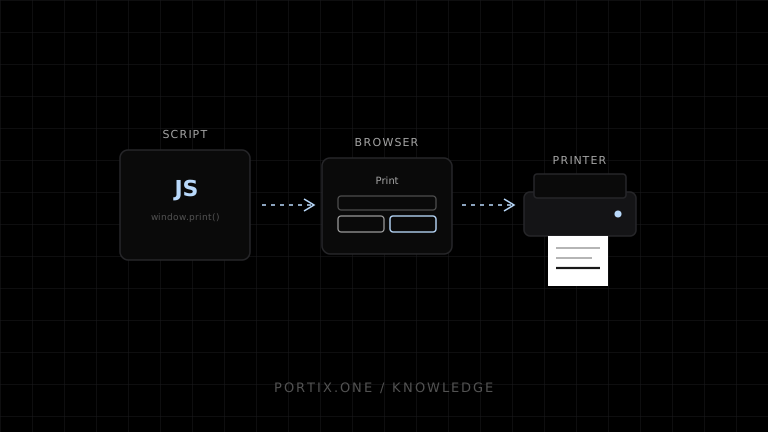
Attach window.print() to a clear user action, finish loading data, fonts, and images first, and define an @media print stylesheet. The method takes no arguments and does not return a job result. Use it for user-confirmed pages and PDF. Use a local runtime, native app, managed kiosk, or print service when the application must select a printer, print silently, send device commands, or monitor jobs.
JavaScript can start the browser’s print workflow with window.print(). The page prepares content and print CSS; the browser lets the user select a destination and settings. Automatic printer routing, raw commands, and reliable job status require a trusted integration outside this standard API.
1. Add a print action
<button id="print" type="button">Print</button>
<script>
  document.querySelector("#print").addEventListener("click", () => {
    window.print();
  });
</script>
2. Add print CSS
@media print {
  .screen-only { display: none !important; }
  body { color: #000; background: #fff; }
  article { max-width: none; }
  h2 { break-after: avoid-page; }
  figure, table { break-inside: avoid-page; }
}

@page { margin: 12mm; }
3. Wait for required assets
async function printDocument() {
  await document.fonts.ready;
  await Promise.all(
    [...document.images]
      .filter(image => !image.complete)
      .map(image => image.decode())
  );
  window.print();
}
Handle rejected image decoding according to whether the asset is required.
4. Use lifecycle events sparingly
window.addEventListener("beforeprint", preparePrintOnlyState);
window.addEventListener("afterprint", restoreScreenState);
Prefer CSS for visual changes. afterprint does not confirm physical delivery.
5. Choose the correct architecture
| Requirement | Approach |
|---|---|
| User selects printer/PDF | window.print() |
| Print one element | Dedicated print document or print CSS |
| Silent named-printer routing | Trusted runtime/native/kiosk integration |
| Raw ESC/POS | Authorized binary transport |
| Job status and retry | Queue/runtime/service |
Common mistakes
- Calling print before rendering completes.
- Opening print automatically on page load.
- Printing screen navigation and controls.
- Assuming
@pageforces device settings. - Treating dialog closure as success.
- Building a popup that browsers block.
Frequently asked questions
Can JavaScript choose the printer?
Not through window.print(). The user chooses in browser/platform UI.
Can JavaScript print silently?
Not through the standard API on an ordinary page.
Can I print only a component?
Yes, by hiding unrelated content in print CSS or rendering a dedicated print document.
References
- Window.print() — MDN, accessed Jul 19, 2026
- Printing — CSS — MDN, accessed Jul 19, 2026
Related content
concept
What Is a Local Printing Runtime?
Learn how a local printing runtime securely connects web applications to printers for routing, raw commands, queues, status, retries, and silent printing.
concept
What Is Silent Printing?
Learn what silent printing means, why normal browsers require confirmation, and how trusted kiosks, local runtimes, native apps, and managed services enable it safely.
concept
window.print(): How Browser Printing Starts
Learn what window.print() does, when it runs, how beforeprint and afterprint work, what CSS can control, and why it cannot silently select a printer.
guide
How to Print HTML
Create a dedicated printable HTML document, apply paged-media CSS, wait for assets, and print it safely from JavaScript.