
guide · javascript
How to Print HTML
Quick answer
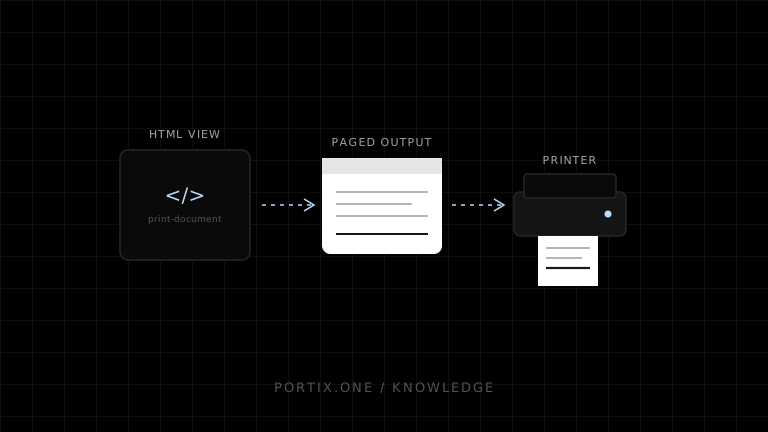
Render the intended content in the current page or a dedicated same-origin print document, apply @media print and @page, wait for fonts and images, then call window.print() from a user action. Avoid copying arbitrary innerHTML: it can lose styles, state, security controls, and asset context. For silent routing, render through a trusted runtime or desktop application using a documented API.
Printing HTML works best when the printable document is treated as its own view with semantic structure, fixed data, print-specific CSS, and explicit asset readiness.
1. Create a print view
<main id="invoice" class="print-document">
  <h1>Invoice</h1>
  <table><!-- semantic rows --></table>
</main>
<button class="screen-only" onclick="window.print()">Print</button>
2. Add page rules
@media print {
  .screen-only { display: none !important; }
  .print-document { max-width: none; }
  thead { display: table-header-group; }
  tr, figure { break-inside: avoid-page; }
}

@page { size: auto; margin: 12mm; }
3. Wait for assets
async function readyToPrint(root = document) {
  await root.fonts.ready;
  await Promise.all([...root.images].map(img => img.complete ? null : img.decode()));
}
Dedicated iframe or window
Use a same-origin print route when isolation is valuable. Wait for load and assets, invoke printing, then clean up after afterprint. Test popup blocking, sandbox flags, focus, and browser behavior. A hidden iframe is not silent printing.
Security
- Render untrusted values with safe DOM APIs or a trusted template engine.
- Do not inject arbitrary HTML into a privileged print window.
- Keep authentication and data authorization identical to screen views.
- Avoid leaking tokens in printable URLs, headers, or footers.
- Minimize personal data.
Common problems
| Problem | Fix |
|---|---|
| Styles missing | Ensure print view loads the correct stylesheet and origin |
| Blank images | Wait for decode and check CORS/authenticated asset URLs |
| Table header not repeated | Use semantic table and tested print CSS |
| Content clipped | Remove fixed widths and inspect page size/margins |
| Extra blank page | Check forced breaks, margins, and overflowing containers |
Frequently asked questions
Can I print an HTML string directly?
It must be parsed and rendered in a document context with styles and assets. Sanitize untrusted input.
Can CSS guarantee exact output?
No. Browser, destination, user settings, fonts, and printable area can change it.
Can Portix print HTML?
Only through a Portix HTML capability, once one is documented and verified — Portix’s print API and format matrix aren’t published yet.
References
- Printing — CSS — MDN, accessed Jul 19, 2026
- CSS Paged Media Level 3 — W3C, accessed Jul 19, 2026
Related content
concept
Electron Printing Explained
Learn how Electron applications enumerate printers, print webContents silently or interactively, create PDFs, isolate renderer privileges, and handle job results.
concept
window.print(): How Browser Printing Starts
Learn what window.print() does, when it runs, how beforeprint and afterprint work, what CSS can control, and why it cannot silently select a printer.
guide
How to Print from JavaScript
Print a web document with window.print(), prepare content and assets, apply print CSS, and choose when a local printing integration is required.