
pillar · browser-printing
How to Print from Any Web Application
Quick answer
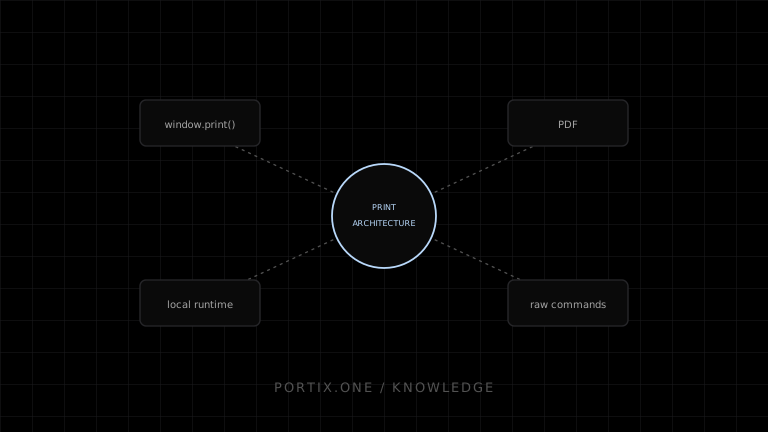
Define a transport-independent print job first, then implement one or more adapters: browser printing for reviewable documents, PDF generation for portable output, and a local-runtime or native path for unattended or device-specific operational printing. Choose the path per use case rather than committing the whole application to a single transport.
Printing from a web application is rarely one problem. It is several: reviewable documents, portable files, and unattended operational output each favor a different path.
Choose the printing path
| Need | Path |
|---|---|
| User reviews and confirms each page | Browser printing (window.print()) |
| Portable, shareable, archivable output | PDF generation |
| Unattended, high-volume, or device-specific output | Local runtime or native integration |
| Raw device commands (cut, drawer, native barcode) | Local runtime or native integration with a raw-capable transport |
A durable architecture
Model the print job independent of how it will ultimately reach a printer, then implement adapters underneath it.
type PrintJob = {
  id: string;
  documentType: "invoice" | "receipt" | "label" | "report";
  target: "browser" | "pdf" | "runtime";
  payload: unknown;
};
- The application creates a
PrintJobfrom committed data, not transient UI state. - A resolver picks the target based on document type, station, or user choice.
- An adapter formats the payload for that target.
- The adapter submits the job and reports back a defined status.
- Failures are surfaced to the user or operator with an actionable next step.
- Reprints reconstruct the job from the same source data.
Browser implementation
window.print() triggers the operating system’s print dialog for the current document. Combine it with print-specific CSS (@media print) to control what content, pagination, and layout appear in the printed result versus the interactive page.
Operational printing
The browser cannot use window.print() for silent named-printer routing or raw commands. A runtime adapter may provide these functions, but Portix connection, authentication, printer discovery, payload, submission, and status APIs aren’t documented yet.
Reliability rules
Treat every print job as at-least-once delivery: give it a stable identifier, make resubmission idempotent, and record the last known status rather than assuming success once a call returns. Never regenerate a reprint from live application state — always rebuild it from the same committed source the original was built from.
Security checklist
- Sensitive data is not placed in job identifiers, logs, or URLs.
- Only authorized origins or sessions can submit jobs to a local runtime.
- Raw command payloads are validated before being sent to a device.
- PDF generation does not leak internal file paths or unrelated records.
References
- Window.print() — MDN, accessed Jul 21, 2026
- HTML printing steps — WHATWG, accessed Jul 21, 2026
Related content
comparison
Raw Printing vs PDF Printing
Compare raw printer commands and PDF printing for receipts, labels, reports, portability, layout, drivers, speed, and maintenance.
pillar
How Local Printing Runtimes Work
Understand local printing runtime architecture, browser connections, trust, printer discovery, job routing, queues, status, updates, and security.
pillar
The Complete Guide to Browser Printing
Everything a web developer needs to know about browser printing: what window.print() does, building a print view, assets and timing, events, limitations, and security.
troubleshooting
Printer Not Found
Troubleshoot a missing printer across power, connection, operating-system queues, drivers, runtime discovery, identity, and permissions.