
pillar · thermal-printing
The Complete Guide to Thermal Receipt Printing
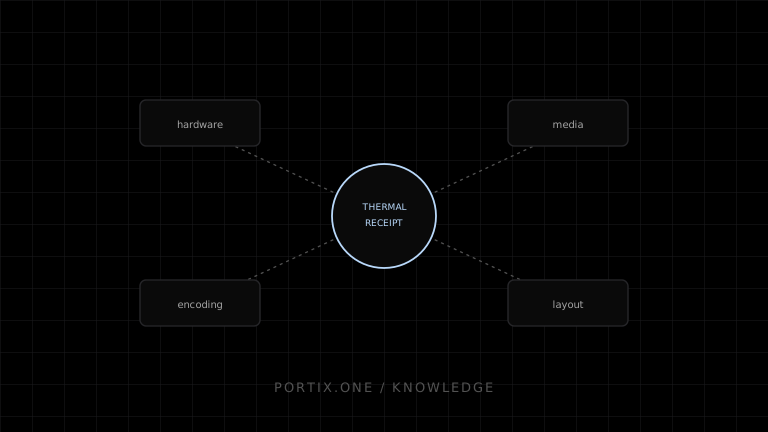
Quick answer
Thermal receipt printing uses a heated print head to darken chemically treated paper, driven by either rendered output through an operating-system driver or raw command bytes sent directly to the printer. Reliable output depends on matching text encoding to the printer's code page, validating images and codes against printable width, and testing on the physical hardware, not just in preview.
Thermal receipt printing is the dominant technology behind point-of-sale, shipping, and ticketing output because it needs no ink or ribbon and prints quickly.
How direct thermal works
Chemically coated paper darkens when heated. A print head containing a row of resistive elements applies heat selectively as the paper advances, forming text and images one line at a time without any consumable beyond the paper itself.
Select the hardware
Match printable width, resolution, interface (USB, network, Bluetooth, serial), cutter type, and cash-drawer support to the workflow. Thermal-transfer printers, which use a ribbon for higher durability, are a related but distinct technology usually chosen for labels rather than receipts.
Rendered versus raw output
Application → [rendered: OS driver → spooler → printer]
            → [raw: command bytes → transport → printer]
Rendered output goes through an operating-system driver that converts a page into printer-native instructions. Raw output sends command bytes — often ESC/POS — directly, giving the application precise control over formatting, cutting, and drawer pulses at the cost of needing to speak the printer’s command language correctly.
Text and encoding
Thermal printers commonly use legacy single-byte code pages rather than Unicode. The application’s text encoder and the printer’s selected code page must agree, or accented and special characters will print incorrectly.
Images, QR codes, and barcodes
Images must be converted to monochrome and fit within the printer’s dot width. QR codes and barcodes can be rasterized like an image or generated using the printer’s native commands, which usually produces sharper, more reliably scannable output.
Receipt layout
Design within the printer’s fixed printable width, favor monospace-friendly column layouts for line items, and always end with enough paper feed before a cut command to avoid text loss at the tear point.
Reliability and maintenance
Head temperature, paper quality, and firmware version all affect output darkness and consistency. Maintain a per-model test suite that covers a real physical print, not just a preview render, before shipping changes that touch printer output.
Troubleshooting map
References
- ESC/POS command reference — Epson, accessed Jul 21, 2026
Related content
concept
Receipt Printers Explained
Learn how receipt printers work, the differences between thermal and impact models, and how paper, cutters, connectivity, commands, and software affect POS printing.
concept
What Is a Thermal Printer?
Learn how thermal printers use heat to produce receipts, labels, and barcodes, including direct thermal and thermal transfer technologies.
troubleshooting
Receipt Paper Never Cuts
Troubleshoot missing receipt cuts across hardware capability, ESC/POS commands, driver settings, feed distance, job truncation, and cutter faults.
troubleshooting
Printer Prints Gibberish
Fix unreadable printer output caused by the wrong command language, raw-versus-driver mismatch, encoding, transport, or corrupted bytes.